
AB Tasty Login: Access and Optimize for SMB Marketers
TL;DR:
- Preparing team roles, credentials, and security measures is crucial for smooth AB Tasty onboarding.
- The no-code visual editor simplifies creating and launching initial A/B tests for SMB teams.
- Alternatives like Stellar or VWO may offer more cost-effective solutions for smaller traffic volumes.
Marketers at small and medium-sized businesses often know exactly what they want to test, but getting into the platform is where momentum dies. Complicated onboarding, enterprise-grade role structures, and confusing credential flows can turn a five-minute task into a half-day detour. AB Tasty is one of the most recognized no-code experimentation platforms on the market, and for good reason. But if you're an SMB marketer or product manager, the login and setup process can feel like it was built for a team of 50, not a team of five. This guide walks you through every step, from pre-login prep to running your first test, so you spend less time navigating and more time optimizing.
Table of Contents
- What you need before you log in to AB Tasty
- Step-by-step: AB Tasty login and secure access
- Configuring your first no-code A/B test
- Troubleshooting, common errors, and logging out
- A smarter SMB login workflow: What most guides miss
- The next step: Smarter A/B testing for your team
- Frequently asked questions
Key Takeaways
| Point | Details |
|---|---|
| Prepare before logging in | Having credentials, roles, and approvals set up ensures a smooth AB Tasty login experience. |
| Follow secure login steps | Use official AB Tasty links and best practices to avoid common access errors and maximize security. |
| Leverage only needed features | Focus on AB Tasty's no-code basics and avoid advanced features paywalled for enterprise when you're an SMB. |
| Troubleshoot smartly | Resolve login problems and access issues with built-in tools and support contact methods before escalating. |
| Explore alternatives | For smaller teams, review alternatives like VWO and comparison guides to ensure the best value and fit. |
What you need before you log in to AB Tasty
So, before you dive into AB Tasty, be sure you're ready on a team and technical level. Skipping this prep phase is the number one reason SMB teams hit walls during onboarding. Getting organized upfront saves hours of back-and-forth later.
First, confirm who on your team needs access and in what capacity. AB Tasty uses role-based access control, which means different users get different permissions. You'll typically need at least one admin (usually the account owner or IT lead) and one or more editor-level users for marketers and product managers running tests.
Here's a quick checklist of what to have ready before your first login:
- Company account approval: Your organization must have an active AB Tasty subscription. Free trials are available, but seat limits apply.
- Work email address: AB Tasty ties accounts to company email domains. Personal Gmail addresses often cause access issues.
- Admin credentials: The account admin needs to invite team members before they can log in.
- Secure password: Use a password manager to generate and store a strong, unique password.
- Two-factor authentication (2FA) app: AB Tasty supports 2FA, and enabling it from day one is strongly recommended.
On the budget side, it's worth being realistic. AB Tasty pricing starts high at $60,000 or more per year, with reviews averaging 4.4 to 4.5 out of 5, making it a stronger fit for mid-market teams than micro-SMBs. If your monthly traffic is under 100,000 sessions, you may find the cost hard to justify.
| Requirement | Admin user | Editor/marketer user |
|---|---|---|
| Account invitation | Sends invite | Receives invite |
| Billing access | Yes | No |
| Experiment creation | Yes | Yes |
| Role management | Yes | No |
| 2FA setup | Required | Strongly recommended |
For teams exploring no-code marketing setup options before committing to AB Tasty, it's worth understanding the full landscape. Platforms like VWO offer lower entry pricing and similar no-code capabilities, which can be a better starting point for smaller teams. If you're newer to the space, reviewing the no-code testing benefits for marketers helps you set realistic expectations before choosing any tool.
Pro Tip: Before your admin sends invitations, agree on a naming convention for user roles and experiments. This small step prevents confusion when multiple team members are managing tests simultaneously.
Step-by-step: AB Tasty login and secure access
Once you have all your prerequisites ready, you're set for a smooth AB Tasty login experience. The process itself is straightforward, but a few details trip up first-time users, especially on SMB teams without dedicated IT support.
Here's how to log in step by step:
- Go to the AB Tasty platform URL: Navigate to app.abtasty.com in your browser. Bookmark it immediately to avoid phishing risks from similar-looking URLs.
- Enter your work email: Use the exact email address your admin used when sending your invitation.
- Enter your password: If it's your first login, use the temporary password from your invite email and change it immediately.
- Complete 2FA verification: If your admin has enabled 2FA, open your authenticator app and enter the six-digit code.
- Accept the terms and confirm your profile: First-time users are prompted to confirm their display name and notification preferences.
- Land on the dashboard: You'll see your team's active experiments, analytics summaries, and navigation options on the left sidebar.
AB Tasty is designed for marketers and product managers who need no-code, client-side testing for UX optimization without relying on developers. That philosophy carries into the interface: the dashboard is visual, organized by experiment status, and relatively easy to navigate once you're in.
| Access type | Best for | Risk level |
|---|---|---|
| Individual login with 2FA | Most SMB users | Low |
| Shared team login | Not recommended | High |
| SSO (single sign-on) | Enterprise plans | Low |
| Admin-managed invites | SMB standard | Low |
Never share login credentials across team members, even on tight-deadline projects. Shared logins break audit trails, create security gaps, and make it nearly impossible to track who changed what in an experiment.
For teams running A/B testing without dev support, the AB Tasty interface offers enough visual guidance to get moving quickly. Role assignment happens inside the account settings panel, and admins can update permissions without contacting support.

Pro Tip: If you're logging in from a new device or location, AB Tasty may trigger an additional verification step. Keep your recovery email up to date in your profile settings to avoid getting locked out.
Configuring your first no-code A/B test
After logging in successfully, you're ready to launch your first test. This is where AB Tasty's no-code editor earns its reputation, but it's also where SMB teams sometimes over-engineer things and run into paywall surprises.
Start simple. The most effective first tests for SMBs are small, high-impact changes:
- Button copy or color: Does "Get started" outperform "Try it free"?
- Headline variations: Test two versions of your above-the-fold headline.
- Layout shifts: Move a form higher on the page and measure conversion impact.
Here's how to set up your first test inside AB Tasty:
- Click "Create" in the left sidebar and select "A/B Test."
- Enter the URL of the page you want to test.
- Open the WYSIWYG editor (what you see is what you get). This is AB Tasty's visual editor, where you click directly on page elements to edit them without writing code.
- Create your variant: Make your desired change in the editor. AB Tasty saves it as "Variation B."
- Set your traffic split: A 50/50 split is standard for most SMB tests.
- Define your goal: Choose a primary metric like clicks, form submissions, or page scroll depth.
- Launch the experiment: Review the summary screen, then click "Start."
Before you hit launch, run through this configuration checklist:
- Is the test URL correct and live?
- Does the variation render properly on mobile?
- Is the traffic allocation set intentionally?
- Is the goal metric actually trackable with your current setup?
- Have you set a minimum runtime (typically two weeks)?
One honest note: advanced features are paywalled in AB Tasty, and the platform's AI and personalization tools require traffic volumes that many small SMBs simply don't have. Stick to core A/B features until your traffic supports more. Reviewing best practices in A/B testing before you build keeps you grounded in what actually moves the needle.
If you're still getting comfortable with the concept itself, the A/B testing definition guide breaks it down in plain language for marketers who are newer to experimentation.
Pro Tip: Resist the urge to test multiple changes at once in your first experiment. One variable per test gives you clean, actionable data. Multi-variable tests require significantly more traffic to reach statistical significance.
Troubleshooting, common errors, and logging out
Even with solid preparation, occasional login or access frustrations can occur. Knowing how to handle them quickly keeps your testing momentum going.
Here are the most common login issues SMB teams face with AB Tasty:
- Forgot password: Use the "Forgot password" link on the login page. The reset email typically arrives within two minutes. Check your spam folder if it doesn't show up.
- 2FA code not working: Make sure your device's clock is synced correctly. Authenticator apps rely on accurate time to generate valid codes.
- Expired session: AB Tasty logs users out after periods of inactivity. Simply log back in. If this happens frequently, check your browser's cookie settings.
- Invitation email not received: Ask your admin to resend the invite and check that the correct email was used. Also check spam and promotions folders.
- Access restricted after role change: Role permission updates can take a few minutes to propagate. Log out and back in to refresh your permissions.
- Multiple seat confusion: If your team has hit its seat limit, new invites will fail silently. Your admin needs to check seat allocation in the billing panel.
If you're locked out and can't reach your admin, AB Tasty's support team is reachable via their in-app chat or support portal. Response times vary by plan tier, so enterprise clients get faster service than trial users.
For SMBs evaluating whether AB Tasty is the right long-term fit, a top A/B testing software comparison can help you weigh options side by side before renewing or upgrading.
On the topic of logging out: always log out manually when using shared computers or public networks. In AB Tasty, click your profile icon in the top right corner and select "Log out." For team hand-offs, especially when an employee leaves, admins should immediately revoke that user's access from the account settings panel. Leaving inactive accounts open is a security risk that's easy to overlook in fast-moving SMB environments.
Remember, advanced features being paywalled means you may hit feature walls before you hit security walls. Keep your account tidy and your active seats intentional.
A smarter SMB login workflow: What most guides miss
With the fundamentals and common hurdles handled, let's address what most SMBs really need from their AB Tasty login process. Most guides you'll find online were written with enterprise teams in mind. They assume you have a dedicated IT admin, a security team, and a budget that doesn't require quarterly justification.
That's not most SMBs. What smaller teams actually need is a login workflow that's fast, secure, and doesn't require a 30-minute onboarding call every time someone new joins.
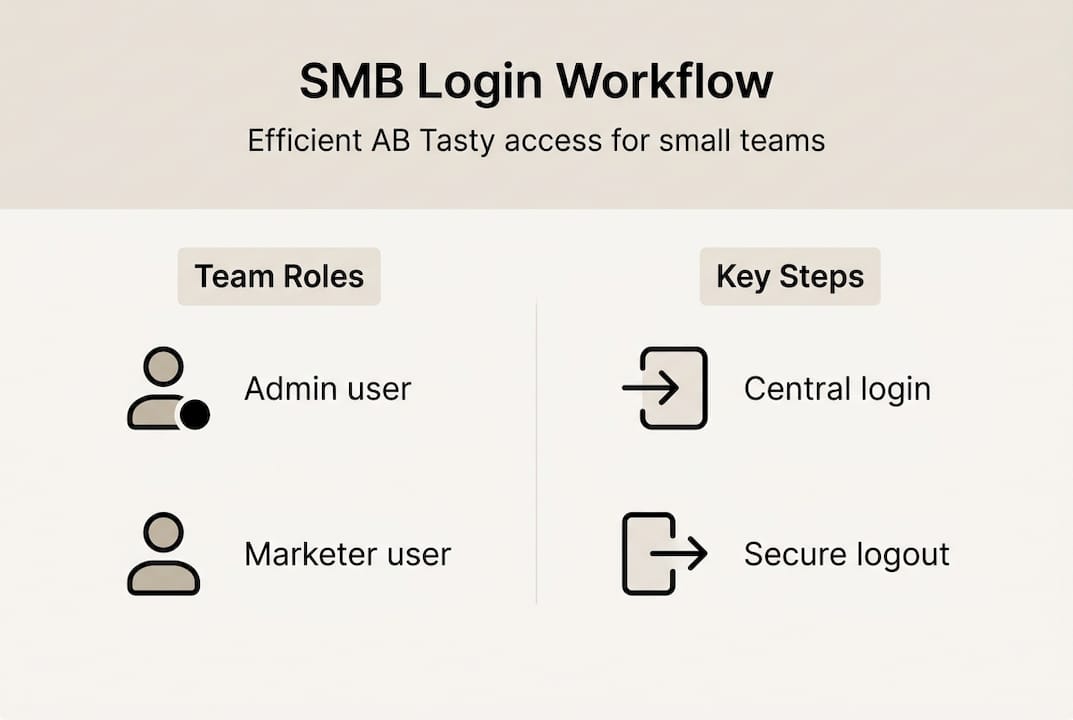
The smarter move is centralized credential management with minimal role complexity. Two roles cover most SMB needs: one admin and a small group of editors. Avoid creating custom roles unless you genuinely need them. Every layer of complexity adds friction.
Cost is the other reality check. AB Tasty suits no-code UX testing well for mid-market teams, but its pricing and enterprise tilt mean cheaper alternatives like VWO may serve smaller teams better, especially after AB Tasty's recent VWO merger expanded both platforms' capabilities. If your team is under ten people and your monthly traffic is modest, the ROI math often favors a leaner tool.
Exploring no-code A/B solutions built specifically for SMBs can save you real money and cognitive overhead. The best tool isn't always the most well-known one. It's the one your team actually uses consistently.
The next step: Smarter A/B testing for your team
With a smarter login approach, you're ready to optimize. But if AB Tasty's pricing or complexity doesn't match your team's scale, there are faster, leaner options worth exploring. Stellar is built specifically for SMB marketers who want no-code A/B testing without the enterprise overhead. With a 5.4KB script that won't slow your site and a visual editor that requires zero developer involvement, you can launch tests in minutes, not days.

Stellar's free plan covers up to 25,000 monthly tracked users, making it a practical starting point for growing teams. Whether you're running your first button copy test or tracking multi-step conversion goals, the platform keeps things fast and focused. Check out the no-code A/B solution guide to see how SMBs are getting real results without the complexity.
Frequently asked questions
How do I reset my AB Tasty login password?
Use the "Forgot password" link on the AB Tasty login page and follow the reset instructions sent to your email. The link typically expires within 24 hours, so act on it promptly.
What should I do if my AB Tasty login is locked after too many attempts?
Contact your team admin or AB Tasty support to unlock your account and confirm you're using the correct credentials going forward. Enabling 2FA after recovery adds a layer of protection against repeat lockouts.
Is AB Tasty the best option for SMB marketers needing no-code A/B tests?
AB Tasty is strong for mid-market teams, but its price and advanced features may be too much for smaller SMBs. Alternatives like VWO or purpose-built tools like Stellar often offer better value at lower traffic volumes.
Can I use AB Tasty with other marketing tools after login?
Yes, AB Tasty supports integration with popular marketing and analytics platforms, including Google Analytics and various tag managers, for a more connected workflow.
Recommended
Published: 4/18/2026