
Google Optimize explained for marketers and PMs
TL;DR:
- Google Optimize was discontinued in September 2023, affecting SMBs relying on it for A/B testing.
- No direct Google replacement exists; marketers should consider tools like VWO, Optimizely, or Crazy Egg.
- Continuation of experimentation habits is vital; choose scalable, privacy-compliant tools to keep optimizing.
If you've searched for A/B testing tools recently and found Google Optimize in someone's recommendation list, you're not alone — and you're also looking at outdated advice. Google Optimize was discontinued on September 30, 2023, leaving thousands of small and medium-sized businesses scrambling for alternatives. For marketers and product managers who built their conversion rate optimization (CRO) workflows around it, that shutdown was a real disruption. This guide explains exactly what Google Optimize was, how it worked, why it disappeared, and — most importantly — what you should use instead to keep running effective experiments in 2026.
Table of Contents
- What was Google Optimize?
- How did Google Optimize work?
- Why was Google Optimize discontinued?
- Alternatives to Google Optimize for marketers and product managers
- The overlooked lesson: what Google Optimize's legacy means for today's marketers
- Modernize your marketing: take the next step with digital experimentation
- Frequently asked questions
Key Takeaways
| Point | Details |
|---|---|
| Google Optimize was discontinued | Google ended support for Optimize in late 2023, leaving no direct free replacement. |
| SMBs need alternatives | Marketers should consider tools like Optimizely, VWO, Convert, or Crazy Egg for their testing needs. |
| Effective testing needs planning | Selecting the right A/B testing solution depends on your traffic, analytics needs, and resources. |
| Lessons from Optimize’s legacy | Don’t delay experimentation—adopt a testing mindset and use the tools you have now. |
What was Google Optimize?
Google Optimize launched as a free web experimentation platform tightly integrated with Google Analytics. For small and medium-sized businesses with limited budgets and lean marketing teams, that combination was genuinely exciting. You could run A/B tests directly on your website, measure results inside the analytics dashboard you were already using, and make data-driven decisions without spending a dollar on software.
The history of Google Optimize stretches back to 2016 when Google introduced it as a competitor to tools like Optimizely and VWO. It quickly became a go-to option for marketers who wanted to dip their toes into CRO without a major financial commitment. The appeal was clear: free access, a familiar Google interface, and native integration with Google Analytics meant you didn't need a developer or a big budget to start testing.
At its peak, Google Optimize supported a solid range of experiment types:
- A/B testing: Compare two versions of a webpage to see which performs better against a defined goal
- Multivariate testing: Test multiple combinations of different elements simultaneously, supporting up to 16 combinations
- Split URL testing: Redirect different segments of your traffic to completely different page URLs for full-page variant comparisons
- Server-side experiments: Run tests in code rather than in the browser, useful for more technical setups
- Personalization: Deliver targeted experiences to specific user segments based on behavior, device, location, or demographics
"Google Optimize was a free A/B testing and optimization tool provided by Google, discontinued on September 30, 2023."
For SMBs doing early-stage CRO work, these features covered most of the essential use cases. You could test a new headline, try a different call-to-action button color, or experiment with a completely redesigned landing page. All of that was possible without writing a single line of custom tracking code, because Optimize plugged directly into your existing Google Analytics setup.
The simplicity was deliberate. Google designed Optimize to lower the barrier to entry for marketers and product managers who weren't engineers. Its visual editor let you make changes to page elements by clicking and editing, rather than touching your codebase. That visual, no-code approach made experimentation accessible to teams that had previously thought A/B testing was only for companies with dedicated engineering resources.
How did Google Optimize work?
Understanding its features helps clarify why it was so widely adopted. Now, let's break down how Google Optimize actually worked in practice for marketers.
Running an experiment in Google Optimize followed a straightforward process:
- Create an experiment: Choose the page you want to test, select the experiment type (A/B, multivariate, split URL), and use the visual editor or code editor to build your variants.
- Define your objectives: Set your primary goal, such as purchases, form completions, or page scroll depth, pulling from your existing Google Analytics goals.
- Set your targeting rules: Specify which visitors see the experiment based on URL patterns, device type, geographic location, cookies, or custom JavaScript conditions.
- Allocate traffic: Decide what percentage of qualifying visitors enter the experiment, and how that traffic splits between your variants.
- Launch and monitor: Start the experiment and watch results populate in real time through the Google Optimize reporting dashboard, which connected directly to Google Analytics.
Key methodologies included A/B testing, multivariate testing with up to 16 combinations, split URL testing for full page variants, server-side experiments, and personalization based on user behavior, demographics, and location. Each methodology served a different purpose, and choosing the right one depended on how big a change you wanted to test and how much traffic your site received.
Google Optimize integrated natively with Google Analytics for tracking experiments and used random traffic allocation to visitors for unbiased comparisons against goals like conversions. That randomization was critical. Without it, you'd risk sending all your mobile users to one variant and desktop users to another, which would make your results meaningless.
| Experiment type | Best for | Traffic requirement |
|---|---|---|
| A/B test | Simple element changes | Low to medium |
| Multivariate | Multiple element combos | High |
| Split URL | Full page redesigns | Medium to high |
| Server-side | Complex, technical tests | Any |
| Personalization | Segment-specific content | Medium |
One area where Optimize stood out was personalization. You could show different page content to returning visitors versus first-time visitors, or serve a specific hero message to users arriving from a paid ad campaign. That kind of dynamic content delivery was previously reserved for enterprise-level platforms.

Pro Tip: Before running any A/B test, calculate how much traffic you need to reach statistical significance. A test with too little data produces misleading results. Most testing tools, including Google Optimize in its time, recommend at least 1,000 visitors per variant before drawing conclusions. Tools like improving conversions with A/B testing frameworks can help you plan your experiment timelines effectively.
Why was Google Optimize discontinued?
Having explained how Google Optimize worked, it's important to understand why a tool relied upon by millions suddenly disappeared.
The shutdown surprised many marketers, but the underlying reasons make sense once you look at Google's broader business priorities. Several factors converged to make continuing Google Optimize unsustainable from Google's perspective.
Revenue challenges were the most straightforward issue. Google Optimize was free for most users. Running and maintaining a robust software platform costs real money, and when that platform generates no direct revenue, it's difficult to justify continued investment. The paid tier, Google Optimize 360, existed but was priced for enterprises. Most SMBs, the platform's core users, stayed on the free tier entirely.
Key reasons behind the discontinuation of Google Optimize include:
- No revenue generation: The free model meant Google absorbed all infrastructure and development costs without return
- GA4 integration difficulties: Google Analytics 4 represented a fundamental rebuild of Google's analytics infrastructure, and migrating Optimize to work seamlessly with GA4 proved technically complex
- Privacy regulation pressure: GDPR in Europe, CCPA in California, and similar laws around the world complicated how Optimize could track and target users
- Strategic priorities shift: Google focused its SMB product investments elsewhere, particularly in Google Ads and the broader Google Marketing Platform
- Competitive landscape changes: The A/B testing market had matured significantly, with specialized tools offering deeper functionality than Google could easily match
The GA4 transition deserves particular attention. When Google rebuilt its analytics platform from scratch, it changed the underlying data model entirely. Optimize relied on the Universal Analytics architecture. Rebuilding that integration for GA4 would have been a major engineering effort, and Google made the business decision that it wasn't worth pursuing.
The privacy regulation angle is also more significant than it might appear. Experiments that personalize content based on user characteristics face real legal scrutiny under GDPR and CCPA. Handling that compliance at scale, for free, while managing the associated data processing agreements, created operational complexity that didn't align with the platform's revenue model.
Pro Tip: When evaluating any A/B testing tool, ask directly how it handles data privacy compliance. Look for tools that offer cookieless tracking options, built-in GDPR consent mechanisms, and clear data processing agreements. This protects your business and your users. Check out Google Optimize alternatives for marketers for a breakdown of how current tools handle these requirements.
There was no phased migration. No Google-built successor emerged. On September 30, 2023, the service simply turned off, and experiments stopped running. That abrupt ending caught many marketing teams off guard and forced rapid decisions about replacement tools.
Alternatives to Google Optimize for marketers and product managers
With the shutdown in mind, marketers naturally ask: what should I use instead? This section presents a clear view of the options available in 2026.
The first important reality to accept is that no direct Google replacement exists for full A/B testing functionality. Google Analytics 4 includes some basic experiment-adjacent features through Google Tag Manager, but these are nowhere near a complete replacement. If you relied on Optimize for structured A/B testing, you need a dedicated third-party tool.
Here's how the leading SMB-focused alternatives compare:
| Tool | Starting price | No-code editor | Native analytics | Best for |
|---|---|---|---|---|
| Optimizely | Custom pricing | Yes | Yes | Larger SMBs, enterprises |
| VWO | ~$199/mo | Yes | Yes | Full CRO suites |
| Convert | ~$199/mo | Yes | Yes | Privacy-focused teams |
| Crazy Egg | ~$29/mo | Yes | Heatmaps included | Budget-conscious teams |
| Stellar | Free to paid tiers | Yes | Real-time | Fast, lightweight testing |
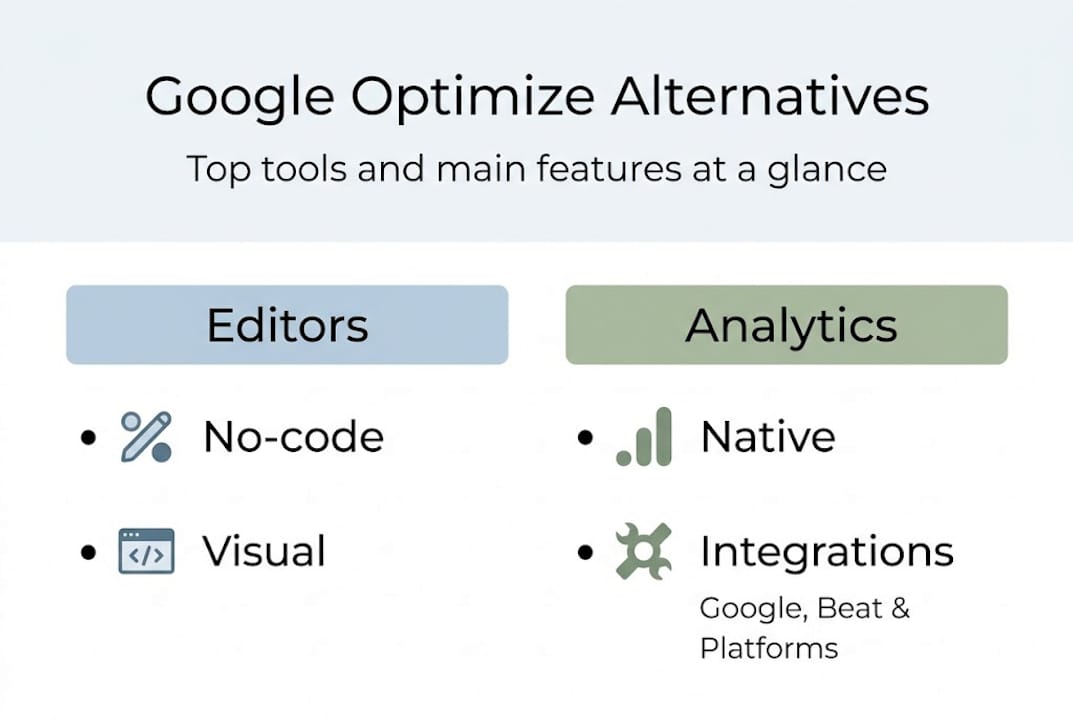
Recommended SMB alternatives include Optimizely, VWO, Convert, and Crazy Egg, starting around $29 to $399 per month, with free tiers available in some platforms.
When evaluating your options, keep these workflow considerations in mind:
- Script performance: Some testing tools load heavy JavaScript that slows your pages. Page speed directly affects both user experience and SEO rankings, so a lightweight implementation matters.
- Analytics integration: Look for tools that connect cleanly with your existing analytics setup, whether that's Google Analytics 4, Mixpanel, or another platform.
- Visual editor quality: If your team isn't technical, the visual editor is your primary interface. Test it thoroughly during any trial period.
- Statistical methodology: Confirm whether the tool uses frequentist or Bayesian statistics, and whether it controls for false positives with methods like sequential testing.
- Support quality: Unlike Google Optimize, paid tools include support. Evaluate response times and documentation depth before committing.
For teams focused on no-code A/B testing options, the visual editor experience varies widely across platforms. Some editors are intuitive and responsive; others are clunky and frustrating. Always run a live test during your trial to see how the tool handles your actual website.
If you want to do a thorough A/B testing software comparison across features, pricing, and performance, it pays to test at least two platforms before making a decision. Migration costs aren't just monetary. They include the time your team spends learning a new tool and rebuilding your experiment templates.
For the most targeted breakdown specifically for teams transitioning off Google Optimize, the best Google Optimize alternatives guide covers feature-by-feature comparisons to help you find the right fit for your traffic volume and testing maturity.
The overlooked lesson: what Google Optimize's legacy means for today's marketers
After exploring current alternatives, it's worth stepping back to reconsider what Google Optimize's journey means in the bigger picture.
Most post-mortem conversations about Google Optimize focus on what was lost. The free access. The Google Analytics integration. The low barrier to entry. But the more valuable lesson is what Google Optimize gave SMBs that they should never give up: the habit of experimentation.
Before Optimize, A/B testing felt like something only large companies with engineering teams could do. Google changed that perception fundamentally. It made testing feel ordinary, which is exactly what it should be.
For SMB marketers and product managers, Google Optimize was ideal for simple, low-cost entry to CRO, but it was limited by its discontinuation and lacked features like heatmaps, poor enterprise scale, and privacy hurdles. Today's alternatives like Crazy Egg and VWO offer better analytics and richer insights.
The mistake many teams make after a tool shuts down is waiting for the perfect replacement before running another experiment. That pause is expensive. Every week you're not testing, you're leaving conversion improvements undiscovered. The right approach is to pick a tool that fits your current budget and traffic level, run imperfect experiments, and learn continuously. Browse through landing page A/B test ideas to keep your experimentation pipeline moving regardless of which platform you choose.
The platform is a means to an end. The habit of testing is the real asset.
Modernize your marketing: take the next step with digital experimentation
You now have a clear picture of what Google Optimize was, why it mattered, and what your options look like in 2026. The next step is turning that knowledge into action.

Stellar is built specifically for marketers and product managers at SMBs who need fast, effective A/B testing without the complexity or performance overhead of enterprise tools. With a lightweight 5.4KB script, a no-code visual editor, dynamic keyword insertion, advanced goal tracking, and real-time analytics, Stellar gives you everything you need to run meaningful experiments starting today. There's even a free plan for businesses with under 25,000 monthly tracked users. Visit gostellar.app to start your first experiment and see how simple modern A/B testing can be.
Frequently asked questions
Is Google Optimize still available in 2026?
No, Google Optimize was discontinued on September 30, 2023 and is no longer available for running experiments.
What are the best alternatives to Google Optimize for small businesses?
Top options include Optimizely, VWO, Convert, and Crazy Egg, with pricing starting around $29 to $399 per month and free tiers available on some platforms.
Did Google offer a replacement for Optimize?
No direct Google replacement exists; limited experiment features moved into Google Analytics 4 and Google Tag Manager, but these do not replicate full A/B testing functionality.
Why was Google Optimize discontinued?
The key reasons include lack of revenue from the free model, technical challenges integrating with Google Analytics 4, and complex privacy regulation burdens like GDPR and CCPA.
What's the most important consideration when replacing Google Optimize?
Match the tool to your actual traffic volume, feature requirements, and team's technical comfort level, and confirm it integrates cleanly with your existing analytics and privacy compliance setup.
Recommended
Published: 4/26/2026