
No-code automated website testing for marketers
TL;DR:
- Automated website testing enables marketing teams to efficiently identify bugs, layout issues, and performance problems without coding. It consolidates functionality, visual, performance, and SEO checks into a unified, no-code workflow that accelerates campaign readiness. However, effective use requires managing flakiness, updating baselines, and maintaining human review to maximize reliability and impact.
Manual website testing is one of those tasks that looks manageable until your team is hours from a campaign launch and someone finds a broken hero image on mobile. Catching every bug, broken link, slow page, and layout issue by hand is genuinely exhausting, and for marketing teams without dedicated engineering support, it's often just not realistic. No-code automated testing changes that equation entirely, putting real quality control directly in the hands of the people who need it most. This guide walks through exactly how these tools work, what they can and cannot do, and how to build a workflow your growth team will actually use.
Table of Contents
- What is automated website testing—and why does it matter for marketers?
- Core components of an automated website testing workflow
- Navigating visual regression: How automation tackles what you see (and what it misses)
- Practical considerations: Flakiness, baseline management, and human review
- How automated testing fuels conversion optimization (what the data says)
- A marketer's reality check: The true impact of automation beyond the hype
- Simplify your testing with one no-code platform
- Frequently asked questions
Key Takeaways
| Point | Details |
|---|---|
| Bundle key tests easily | No-code automation lets marketers run link, visual, performance, and SEO tests with no engineering support needed. |
| Balance automation with review | Automated tests catch most issues, but regular human review ensures reliable and actionable results. |
| Address flakiness early | Flaky tests are common—use consistent environments and maintain baseline screenshots to minimize false alarms. |
| Measure for conversion wins | Testing speeds up bug fixes and optimizes user experiences, which can lead to measurable gains in conversions. |
What is automated website testing—and why does it matter for marketers?
Automated website testing replaces the repetitive, error-prone process of manual checking with software that runs scheduled, repeatable routines across your site. Instead of someone clicking through every page to spot a misaligned CTA button or a 404 error, automation does that continuously in the background.
For a long time, this kind of testing lived exclusively inside engineering teams. It required writing scripts, managing test environments, and interpreting code-level output. Marketing teams were dependent on developers to validate that a new landing page worked correctly, which created bottlenecks at exactly the wrong moments, like right before a paid campaign went live.
The benefits of no-code testing for marketers are increasingly clear as purpose-built tools shift this ownership. Now, a marketer or CRO specialist can point a tool at any URL and get back a structured report without writing a single line of code.
So what exactly does automated testing check? Automated website testing for marketers commonly splits into four categories:
- Functionality checks: Broken links, form errors, redirect chains, and page errors
- Visual regression checks: Layout shifts, CSS changes, and element misalignment across browsers or after site updates
- Performance checks: Page speed, load time, and Core Web Vitals that directly affect user experience and ad quality scores
- SEO readiness checks: Missing meta tags, duplicate titles, crawl errors, and structured data issues
"The shift from engineering-owned to marketer-owned testing isn't just a tooling change. It's a fundamentally different relationship with site quality, and one that directly accelerates campaign velocity."
Bundling these four check types into a single no-code workflow is what makes modern automated testing genuinely useful for growth teams. Instead of running separate tools for each problem type, you get a unified signal that tells you whether a page is ready to send traffic to.
Core components of an automated website testing workflow
Understanding what testing covers is the first step. Building a repeatable workflow is where it becomes practical.
A typical no-code automated testing workflow for growth teams follows a clear pattern. Starting from a URL or live page, the tool runs a suite of checks automatically, then surfaces results you prioritize and act on before launch. Here is how that breaks down in practice:
- Enter your target URL or page group. Most no-code tools let you specify individual pages, entire site sections, or a crawled sitemap.
- Select the check types you want to run. Depending on your goal, you might run just performance and functionality checks before a campaign, or add visual regression after a design update.
- Review the flagged issues in the dashboard. Results are typically categorized by severity: critical errors that break the page, warnings that may affect performance or SEO, and informational notices.
- Prioritize what to fix. Not every issue deserves the same urgency. A missing alt text on a decorative image is very different from a broken checkout button or a page timing out on mobile.
- Fix, retest, and confirm before launch. Close the loop by running the suite again after fixes are applied, ensuring nothing new broke in the process.
This structured approach is the foundation of using website checking tools for A/B testing effectively, because clean, error-free pages are a precondition for valid test results. If your variant page has a broken form, your experiment data is meaningless.
Pro Tip: Run automated checks on both your control and variant pages before any A/B test goes live. Errors on just one variant will skew your results and waste traffic.
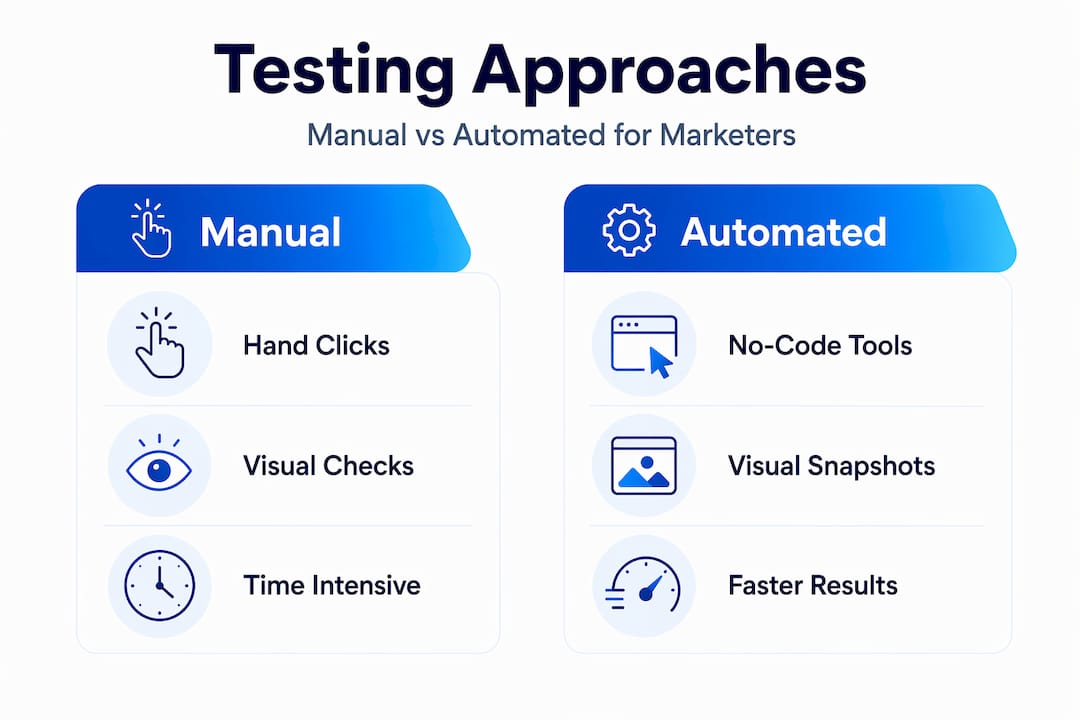
| Step | Manual approach | Automated approach |
|---|---|---|
| Link checking | Click every link by hand | Automated crawler flags all 404s |
| Visual review | Screenshot and compare manually | Pixel diff tool detects layout changes |
| Performance audit | Run PageSpeed Insights manually | Scheduled performance checks with alerts |
| SEO review | Manually inspect page source | Automated meta tag and crawl error detection |
| Issue prioritization | Individual judgment per reviewer | Severity scoring in dashboard |
The comparison makes it obvious why no-code website experiments have become a competitive advantage for smaller teams. The automated approach is faster, more consistent, and scales across dozens of pages without adding headcount.
Navigating visual regression: How automation tackles what you see (and what it misses)
Visual regression testing is one of the most powerful parts of automated testing for marketing teams because layout bugs are notoriously hard to catch manually. They often only appear on specific screen sizes, browsers, or after seemingly unrelated code changes.

Visual regression testing works by rendering the same pages again, taking screenshots, and comparing them pixel by pixel against stored baseline images. If the difference exceeds a set threshold, the test fails and the diff gets flagged for review.
The benefits are real. A CSS change pushed by your development team might accidentally collapse your hero section on tablets, or push your primary CTA below the fold. Without visual regression, that kind of bug might only surface after real users start bouncing. With it, you catch the issue before launch.
But there are real limitations that marketing teams must plan for:
- Animation and dynamic content: If your page has transitions, carousels, or countdown timers, screenshots taken at slightly different moments will produce false positives every time.
- Font rendering differences: Subtle anti-aliasing variation across operating systems can create pixel diffs that look alarming but are actually harmless.
- Responsive layout complexity: Pages with many breakpoints require separate baselines for each device width, multiplying the baseline management burden.
Edge cases in visual regression include flakiness from nondeterminism, including animations, timing variability, and font rendering differences, which means your testing environment needs to be as consistent as possible to produce reliable signals.
| Failure type | Common cause | Recommended action |
|---|---|---|
| Animated element diff | Screenshot timing variation | Pause animations before capture |
| Font rendering diff | OS or browser anti-aliasing | Use a consistent headless browser environment |
| Layout shift | New CSS or JavaScript change | Review diff and compare to source code changes |
| Missing element | Dynamic content not yet loaded | Add explicit wait conditions before screenshot |
| False positive | Threshold too sensitive | Adjust pixel diff tolerance setting |
"A visual regression diff is a signal worth investigating, not an automatic verdict. Teams that treat every diff as a true defect waste enormous time chasing rendering ghosts."
Pro Tip: Explore no-code experimentation tools that let you exclude dynamic page regions from visual comparison. This single setting eliminates the vast majority of false positives from animated elements.
Practical considerations: Flakiness, baseline management, and human review
Even a well-configured automated testing system will produce noisy results sometimes. Flakiness is not a sign the tool is broken. It's a normal property of visual regression automation that requires deliberate management.
Visual regression automation is inherently probabilistic due to rendering nondeterminism, which means teams should design for stability, use consistent environments, set appropriate thresholds, and treat human review as part of the system rather than an afterthought.
Here are the most practical ways to reduce flakiness in your testing setup:
- Use the same headless browser version consistently. Even minor version updates can change how pages render and trigger false diffs.
- Set a pixel difference threshold. Most tools allow you to accept diffs below a certain percentage. Start around 0.1% to 0.2% and adjust based on how noisy your results are.
- Stabilize your test environment. Run tests against staging builds rather than live pages when possible to eliminate third-party script variability.
- Exclude dynamic regions. Cookie banners, live chat widgets, and ad slots should be masked out of visual comparisons.
Baseline management is the other half of this equation. Most visual regression implementations require a controlled workflow for intentional UI changes, meaning you update snapshots when a change is approved rather than treating every diff as a defect. If your design team just refreshed the button style across your landing pages, you need to approve and update the baselines to reflect that intentional change. Otherwise, every future test run will flag those buttons as failures indefinitely.
The rhythm that actually works for most small marketing teams is this: scheduled automated runs catch unintentional regressions, while human review sessions on a weekly cadence handle baseline updates and judgment calls. No-code marketing solutions designed for growth teams typically make this dual workflow easy, with approval flows built directly into the dashboard.
Marketing automation and A/B testing integration works best when your testing workflow runs alongside your experiment calendar, so you can validate pages at every stage of the funnel, not just at initial launch.
Pro Tip: Treat visual diffs as signals, not verdicts. Most teams that get maximum value from visual regression spend time adjusting thresholds and updating baselines rather than blindly reverting every change flagged by automation.
How automated testing fuels conversion optimization (what the data says)
Every issue your automated testing workflow catches before launch is a potential conversion problem that never reaches your users. That's the clearest way to think about the ROI of this investment.
Think about what a slow loading page actually costs. Users who experience performance problems are far more likely to bounce before engaging. A broken form on a landing page kills every conversion opportunity from that session. A CTA button that's invisible on a specific mobile browser represents a consistent leak in your funnel that compounds across thousands of sessions.
Automated testing helps catch these conversion killers before campaigns go live, giving your team the confidence to drive traffic to pages that actually work. Platforms that bundle AI-powered testing have made notable claims about impact: some AI-powered tools report users seeing an average 15% increase in conversions compared to traditional manual testing methods.
That figure deserves some context. Results will vary significantly based on how systematically a team uses the tool, whether they actually act on the findings, and whether their existing site has obvious undetected issues to fix in the first place. Think of it as a ceiling, not a guarantee.
Still, the mechanism is straightforward and worth taking seriously. Faster bug discovery means faster fixes. Faster fixes mean fewer sessions lost to broken experiences. And fewer broken experiences compound into measurable lift over time.
The most concrete, actionable focus areas for conversion gains through automated testing include:
- Page load speed improvements driven by performance check findings
- Error-free form flows caught through functionality testing on every campaign page
- Consistent cross-browser layouts maintained through visual regression baselines
- SEO readiness ensuring your pages are crawlable and properly structured before paid traffic lands
Combining these quality signals with web-based CRO testing strategies gives growth teams a disciplined, measurable path to improving conversion rates that goes well beyond guesswork.
A marketer's reality check: The true impact of automation beyond the hype
Here is something the tool vendors won't tell you directly: automation shifts the burden of quality work, but it doesn't eliminate it. The teams we see getting the most value from automated testing are the ones who approach it as a process investment, not a set-and-forget button.
The reality is that what automation actually delivers is speed and consistency for the parts of testing that are repetitive and scalable. It will reliably tell you that a link is broken or that a page takes 8 seconds to load. What it will not do is tell you whether your headline resonates with your audience, whether your pricing feels compelling, or whether your trust signals are positioned correctly. That judgment work still belongs to humans.
No-code tools genuinely democratize testing. A marketer with no engineering background can run a comprehensive site audit in the time it used to take to schedule a developer sprint. But democratization requires process discipline to pay off. Teams that set up automated checks and then never build a review cadence around the results are not getting meaningful value from the investment.
The CRO wins mostly come from closing obvious gaps faster. Catching broken pages before launch, eliminating slow load times on paid landing pages, and maintaining visual consistency across your funnel are high-value, achievable outcomes. The teams chasing obscure bugs and perfect automation coverage are often optimizing the wrong thing.
If you're just getting started with A/B testing without developer support, the best advice is to start simple. Pick the two or three check types most relevant to your current campaigns, build a habit of reviewing results weekly, and expand the scope of automation as your process matures. Complicated testing setups that no one reviews are worse than simple ones that actually drive decisions.
Simplify your testing with one no-code platform
With a concrete understanding of automated testing's power and limits, you're ready to explore the tools that put these workflows into your hands.

Stellar is built specifically for marketers and growth teams who need fast, reliable experimentation without pulling engineers into every decision. With a visual editor and real-time analytics, you can run A/B tests, track goals, and optimize landing pages from a single lightweight platform. At just 5.4KB, the script adds virtually no load time to your pages, so testing never comes at the cost of performance. Whether you're validating a new campaign page or running your first conversion test, Stellar gives you a no-code path from hypothesis to data-backed decision. Explore the free plan for up to 25,000 monthly tracked users and see what clean, fast testing actually feels like.
Frequently asked questions
What are the main types of automated website testing?
The main types are functionality checks, visual regression, performance testing, and SEO readiness checks. Automated website testing for marketers typically bundles all four into a single workflow for maximum efficiency.
How does visual regression testing work in practice?
Visual regression testing compares before-and-after screenshots to catch layout or style differences caused by site changes. In practice, the tool renders the page, takes a screenshot, and compares it pixel by pixel against a stored baseline image.
Are no-code automated testing tools reliable for small teams?
No-code tools are reliable when set up with stable baselines and scheduled human review, though some flakiness is normal. Edge cases like animations, timing variability, and rendering differences can produce false positives that require human judgment to resolve.
Can automated testing really improve conversion rates?
Some AI-powered tools report an average 15% conversion increase compared to traditional manual testing methods, though results depend heavily on consistent usage and acting on findings.
What is the biggest challenge with automated testing for marketers?
A major challenge is managing test flakiness and distinguishing real issues from visual artifacts. Research suggests that roughly 16% of tests show some degree of flakiness, making threshold configuration and human review essential parts of any automated testing workflow.
Recommended
Published: 5/11/2026