
Visual Editor for Landing Pages: Boosting SaaS ROI
Watching leads slip away because of a complicated landing page editor is frustrating for any marketing manager. When technical barriers slow down simple design changes or A/B testing, campaigns can quickly lose momentum. With a user-friendly no-code visual editor, creating and optimizing landing pages becomes accessible to non-technical team members, so your team can focus on conversion instead of troubleshooting code. Discover how the right tools can empower you to build effective, conversion-focused landing pages faster.
Table of Contents
- What Is A Visual Editor For Landing Pages?
- Types Of Landing Page Visual Editors Explained
- Core Features That Drive No-Code Optimization
- How Visual Editors Integrate With A/B Testing
- Common Pitfalls And How To Avoid Them
Key Takeaways
| Point | Details |
|---|---|
| Visual Editors Simplify Design | Visual editors facilitate user-friendly landing page creation without coding, making them accessible to non-technical professionals. |
| Types of Editors Serve Varied Needs | Different visual editors cater to varying levels of expertise and business requirements, from drag-and-drop builders to advanced customization platforms. |
| No-Code Features Enhance Optimization | No-code optimization tools empower marketers with intuitive features that streamline design processes and improve conversion rates. |
| Avoid Common Design Pitfalls | Maintaining clarity, mobile optimization, and systematic A/B testing are crucial for effective landing page design and maximizing conversions. |
What Is a Visual Editor for Landing Pages?
A visual editor is an intuitive web-based tool that allows marketers and designers to create and modify landing pages through a user-friendly, drag-and-drop interface without requiring coding skills. Unlike traditional web development methods that demand technical expertise, visual editing interfaces enable professionals to design and customize web pages directly in a real-time, interactive environment.
At its core, a visual editor functions like a sophisticated design platform where users can manipulate page elements visually. Marketers can instantly adjust text, images, buttons, and layout configurations by simply clicking and dragging components. This approach eliminates the need to write complex HTML or CSS code, making web design accessible to non-technical team members. The what you see is what you get (WYSIWYG) approach means that the editing interface precisely reflects how the final landing page will appear.
The primary advantages of using a visual editor for landing pages include rapid prototyping, seamless collaboration, and increased productivity. Design teams can quickly experiment with different layouts, color schemes, and content arrangements without involving developers for every minor change. This flexibility allows for faster iteration and optimization of marketing assets, ultimately helping businesses improve conversion rates and user engagement.
Pro tip: Always preview your landing page designs across multiple device sizes to ensure consistent visual appeal and responsiveness.
Types of Landing Page Visual Editors Explained
Landing page visual editors come in various configurations, each designed to meet different marketing and design requirements. Modular page layout tools offer marketers flexible options for creating targeted web experiences, ranging from simple drag-and-drop interfaces to more advanced hybrid editing platforms. These editors typically fall into three primary categories: drag-and-drop builders, template-based editors, and advanced customization platforms.
Drag-and-drop visual editors represent the most user-friendly approach, enabling marketers to construct landing pages by simply moving components around the screen. These tools often include pre-designed blocks for elements like headlines, images, forms, and call-to-action buttons. Template-based editors provide a more structured experience, offering pre-built layouts that can be customized with brand-specific content and design elements. Advanced customization platforms go a step further by allowing deeper modifications, including the ability to inject custom code for more complex design requirements.
Each visual editor type serves different skill levels and business needs. Beginners might prefer drag-and-drop interfaces with intuitive controls, while experienced marketers and designers might opt for platforms offering more granular design control. Some advanced visual editors even support hybrid editing modes, allowing users to seamlessly switch between visual design and direct code editing, providing maximum flexibility for creating high-converting landing pages.
Here's a comparison of the main types of landing page visual editors and who benefits most from each:
| Editor Type | Key Benefit | Best For |
|---|---|---|
| Drag-and-drop Builder | Easiest to use, fast setup | Beginners, small teams |
| Template-based Editor | Structured layouts, consistency | Brand-focused marketers |
| Advanced Customization | Maximum control, custom code option | Experienced designers, large businesses |
Pro tip: Select a visual editor that matches your team's technical skills and provides scalable features as your marketing complexity grows.
Core Features That Drive No-Code Optimization
No-code landing page optimization tools have revolutionized digital marketing by providing powerful features that enable rapid experimentation and design. No-code landing page builders typically include an array of sophisticated capabilities that empower marketers to create high-converting web experiences without extensive technical knowledge. The core features driving these platforms focus on simplifying complex marketing processes while maximizing performance and user engagement.
Key features of these no-code optimization tools include intuitive drag-and-drop interfaces, pre-designed conversion-optimized templates, and seamless integration capabilities. Marketers can quickly build responsive landing pages that automatically adjust to different device screens, implement dynamic form capture mechanisms, and connect directly with customer relationship management (CRM) systems. Fast publishing tools allow teams to launch and iterate landing pages rapidly, reducing the traditional development bottlenecks that slow down marketing campaigns.

The most advanced no-code optimization platforms go beyond basic design features by offering real-time analytics, A/B testing capabilities, and advanced personalization options. These tools provide granular insights into user behavior, enabling marketers to make data-driven decisions about page design, content placement, and conversion strategies. By eliminating technical barriers and providing user-friendly interfaces, no-code optimization platforms democratize landing page creation and allow businesses of all sizes to compete effectively in the digital marketplace.
Here's a summary of crucial features in no-code landing page optimization platforms and their marketing impact:
| Feature | What It Enables | Business Impact |
|---|---|---|
| Responsive Design | Pages adapt to any device | Higher mobile conversions |
| Dynamic Forms | Captures varied user data seamlessly | Improved lead quality |
| Real-time Analytics | Instant insight into user behavior | Faster design improvements |
| A/B Testing Tools | Tests multiple page versions easily | Maximized conversion rates |
Pro tip: Choose a no-code optimization tool that offers scalable features and integrates seamlessly with your existing marketing technology stack.
How Visual Editors Integrate With A/B Testing
Visual editors have transformed A/B testing by providing marketers with intuitive interfaces for creating and comparing different landing page variations. Point-and-click testing interfaces enable teams to generate multiple page versions quickly, allowing for rapid experimentation without requiring extensive technical skills. This democratization of design and testing means that marketing professionals can directly manipulate page elements like headlines, images, and call-to-action buttons to explore which configurations drive the highest conversion rates.

The integration process typically involves creating alternative page designs within the visual editor, where each variant can be developed through simple drag-and-drop modifications. A/B testing platforms then automatically distribute incoming web traffic between these different versions, tracking critical metrics such as click-through rates, engagement duration, and ultimate conversion performance. Split traffic testing tools manage the complex backend processes of randomizing visitor exposure and collecting statistically significant data, allowing marketers to focus on interpreting results and refining their strategies.
Advanced visual editors go beyond basic variation creation by offering real-time preview capabilities, responsive design checks, and sophisticated tracking integrations. These tools help marketers understand not just which page performs better, but why certain design elements resonate more effectively with target audiences. By providing granular insights into user behavior and design preferences, visual editors transform A/B testing from a technical challenge into a strategic marketing approach that continuously improves digital experience and conversion potential.
Pro tip: Always create at least three distinct variants during A/B testing to ensure comprehensive insights and avoid drawing conclusions from limited data points.
Common Pitfalls and How to Avoid Them
Landing page visual editors offer powerful optimization capabilities, but marketers frequently encounter critical design challenges that can dramatically impact conversion rates. Landing page design mistakes often stem from overcomplicated layouts, unclear messaging, and poor user experience strategies. Understanding these potential pitfalls is crucial for creating high-performing digital marketing assets that effectively convert visitors into leads and customers.
One of the most significant issues marketers encounter is creating cluttered, information-dense pages that overwhelm potential customers. Mobile optimization challenges compound this problem, with many visual editors producing designs that look great on desktop but fail completely on smartphone screens. Key strategies for avoiding these pitfalls include maintaining a clean, minimalistic design, ensuring responsive layouts across all devices, and creating clear hierarchical information structures that guide users naturally toward conversion points.
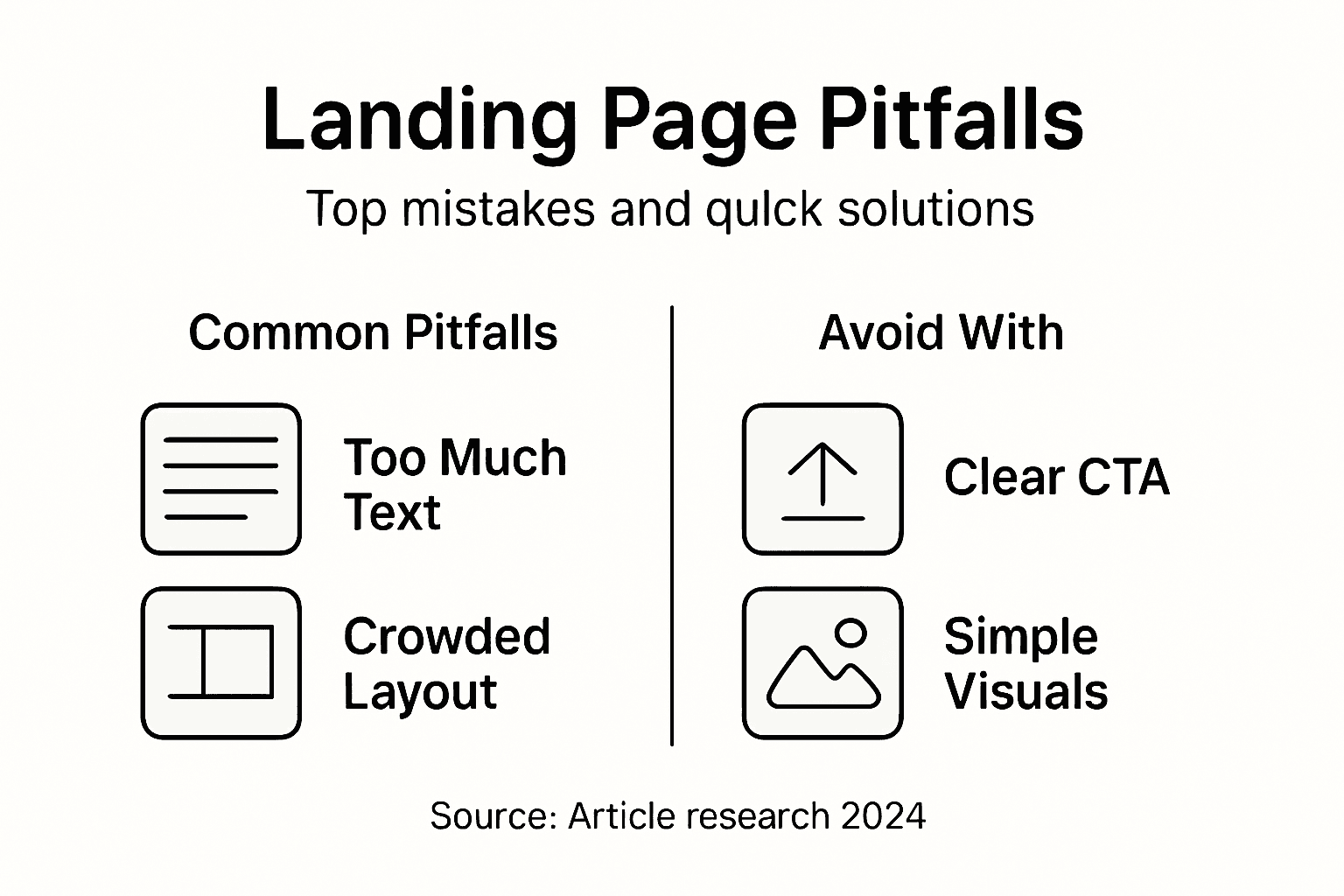
Successful landing page design requires strategic simplification and laser-focused communication. Marketers should concentrate on crafting compelling value propositions, minimizing form fields, optimizing call-to-action buttons for maximum visibility, and continuously testing different design variations. By implementing systematic A/B testing and carefully analyzing user interaction data, teams can iteratively improve their landing pages, transforming potential conversion barriers into streamlined, high-performing marketing tools.
Pro tip: Conduct user testing with actual target audience members to identify design friction points that analytics alone might not reveal.
Elevate Your Landing Page Performance with Stellar's Visual Editor
The article highlights how using a visual editor simplifies A/B testing and empowers marketers to create responsive, conversion-optimized landing pages without coding. If you struggle with balancing fast experimentation and sophisticated design while avoiding common pitfalls like cluttered layouts or ineffective testing, you are not alone. Many small to medium-sized businesses seek tools that offer a no-code interface, real-time analytics, and seamless integration to maximize their marketing ROI.
Stellar is built precisely for marketers and growth hackers who need a powerful yet easy-to-use platform to accelerate A/B testing. Featuring a fast, lightweight script and dynamic keyword insertion, Stellar enables you to effortlessly build, customize, and optimize landing pages right away. With advanced goal tracking and real-time insights, you can make data-driven decisions without waiting for developers.
Discover how Stellar’s Visual Editor fits perfectly into your workflow by enabling quick creation and seamless testing of multiple landing page versions. Avoid frustrating delays and unlock the full potential of your marketing campaigns with a tool designed for speed and simplicity.

Ready to boost your SaaS ROI through smarter landing page experiments Use Stellar’s fast, intuitive platform today to launch optimized pages that convert more visitors. Visit https://gostellar.app now and experience the power of no-code A/B testing made simple.
Frequently Asked Questions
What is a visual editor for landing pages?
A visual editor is a user-friendly tool that allows marketers to create and modify landing pages through a drag-and-drop interface, without needing coding skills.
How do visual editors facilitate A/B testing for landing pages?
Visual editors enable marketers to quickly create and modify different landing page variations, allowing for easy A/B testing to determine which design elements drive better conversion rates.
What are the core features of no-code optimizations in visual editors?
Core features include intuitive drag-and-drop interfaces, pre-designed templates, dynamic form capture, real-time analytics, and A/B testing capabilities, all aimed at enhancing user engagement and conversion rates.
How can I avoid common design pitfalls when using a visual editor for landing pages?
To avoid pitfalls, focus on creating minimalistic designs, ensuring mobile optimization, clarifying messaging, and continuously testing different layouts to improve user experience and conversion rates.
Recommended
Published: 1/18/2026