
VWO review: The all-in-one A/B testing tool for SMBs
TL;DR:
- VWO is an all-in-one CRO platform enabling marketers to run tests without coding or developer support.
- It offers a free starter plan and features like heatmaps, recordings, and personalized targeting suited for SMBs.
- VWO's user-friendly interface and integrated insights foster a repeatable experimentation process for teams.
Most marketers assume that running meaningful A/B tests requires a developer on call, a six-figure tool budget, and weeks of setup time. That assumption keeps a lot of SMB teams stuck, tweaking buttons by gut feeling instead of data. VWO challenges that story directly. It's a conversion rate optimization (CRO) platform built to hand testing power back to marketers and growth hackers, no engineering degree required. This guide covers everything you need to know about VWO's features, pricing, real user experience, how it stacks up against rivals, and how to get the most out of it for your team.
Table of Contents
- What is VWO and who is it for?
- Key features and user experience: How VWO empowers marketers
- VWO pricing: Where does it fit for SMBs?
- VWO vs. competitors: How does it compare in 2026?
- A marketer's perspective: The real value (and what most reviews miss)
- Get started with smarter A/B testing today
- Frequently asked questions
Key Takeaways
| Point | Details |
|---|---|
| All-in-one CRO platform | VWO integrates A/B testing, heatmaps, session replays, and personalization tools in a single, no-code suite. |
| Great for SMB marketers | No-code workflows and clear reporting make VWO ideal for marketers without technical support. |
| Free tier, scalable plans | While VWO’s free tier covers small teams, its paid plans scale for growing SMBs and high-traffic sites. |
| Competitive edge after Google Optimize | VWO is a strong alternative for marketers seeking accessible A/B testing post-Google Optimize. |
What is VWO and who is it for?
Think of VWO as a Swiss Army knife for conversion optimization. Where most teams stitch together separate tools for heatmaps, surveys, and split testing, VWO rolls all of those capabilities into a single platform. As VWO Review (2026) puts it, VWO is an all-in-one CRO platform supporting A/B, multivariate, split URL testing, heatmaps, session recordings, surveys, and personalization with a no-code visual editor ideal for non-technical marketers. That's a meaningful distinction in a market where "comprehensive" often just means "expensive and complex."
VWO's sweet spot is the SMB marketer or growth hacker who needs to move fast. You're not waiting on a sprint cycle to test a new hero headline. You point, click, and launch. The platform's no-code visual editor lets you make changes directly on your live page without touching a single line of code. For teams where the "dev queue" is weeks long, that alone is a game changer.
The platform gained serious momentum after Google shut down Google Optimize in 2023. Thousands of marketing teams suddenly needed a Google Optimize alternative that didn't require rebuilding their entire tech stack. VWO stepped in with a free tier, a familiar workflow, and features that actually went further than what Optimize offered.
Here's a quick look at what VWO includes out of the box:
- A/B and multivariate testing for comparing variations of pages or individual elements
- Split URL testing for testing entirely different page designs
- Heatmaps and click maps that show where users actually focus their attention
- Session recordings that capture real user journeys so you can spot drop-off points
- On-page surveys to collect qualitative data alongside quantitative test results
- Personalization tools to serve different experiences to different audience segments
"The power of an all-in-one tool isn't just cost savings. It's the compounding clarity you get when your heatmap data directly informs your next A/B test hypothesis."
Pro Tip: Before you launch your first A/B test in VWO, run heatmaps and session recordings for at least two weeks. The behavioral patterns you uncover will generate far stronger hypotheses than guessing which button color to change.
The ideal VWO user is someone running a growing ecommerce store, a SaaS product landing page, or a lead generation site who needs to increase conversions without hiring a conversion specialist or expanding the dev team. If that sounds like you, keep reading.
Key features and user experience: How VWO empowers marketers
Now that we know what VWO offers and who it serves, let's explore how its unique features support marketer-led experimentation. The real test of any no-code tool is whether a marketer can actually use it without opening a support ticket every five minutes. VWO largely passes that test, though with a few caveats.
Here's how a typical experiment workflow looks inside VWO:
- Define your goal. Start by choosing a conversion goal, whether that's a form submission, a button click, a page scroll depth, or a revenue event. VWO's goal library covers the most common options, and you can build custom goals for more specific tracking needs.
- Set up your variation. Open the visual editor and click directly on the element you want to change. Edit text, swap images, reorder sections, adjust colors, and modify layout, all without code. The editor renders a live preview so you see exactly what your visitors will see.
- Configure audience targeting. Narrow your test to a specific audience segment based on device type, location, traffic source, or behavior. This is especially useful for testing mobile-specific experiences or targeting paid traffic separately from organic visitors.
- Launch and monitor. Once your test is live, VWO's SmartStats engine, which uses a Bayesian statistical model rather than the older frequentist approach, gives you real-time confidence scores. You don't need to know what Bayesian means to read it. The dashboard tells you clearly which variation is winning and with what level of certainty.
- Dig into session recordings. After a few days of data, review session recordings filtered by variation to see how users actually interact with each version. This qualitative layer is what separates VWO from simpler A/B tools.
As VWO Review (2026) confirms, the no-code editor enables quick UX tests without devs and the all-in-one approach reduces tool stack costs. Both of those benefits directly address the two biggest pain points SMB marketers face: speed and budget.
"Integrated qualitative tools like session recordings and surveys transform A/B testing from a guessing game into a real conversation with your users."
If you want to run A/B tests without dev support, VWO's editor is one of the most mature no-code options available. It handles complex page layouts better than most competitors at the SMB price range.
Pro Tip: Use session recordings filtered to users who abandoned your test variation's key conversion step. Those recordings often reveal friction points that your click data won't surface, like a form field that confuses people or a mobile layout that breaks at a specific screen size.
The dashboard experience is clean enough for a marketer to navigate independently. Reports break down traffic, conversions, and statistical confidence by variation. You won't mistake the winner if you set a clear primary goal upfront.

VWO pricing: Where does it fit for SMBs?
Once you understand the user experience, it's critical to evaluate how VWO fits financially for growing teams. Pricing is where VWO gets complicated, and where many SMB teams hit unexpected walls.
According to VWO Pricing, the pricing structure starts with a free Starter plan supporting up to 50,000 monthly tracked users (MTU) with basic A/B testing, then scales to Growth at approximately $173 to $299 per month, Pro at $353 per month, and Enterprise starting at $688 per month or more, all based on MTU volume. A 30-day free trial is available on paid plans.
Here's a simplified breakdown of what each tier offers:
| Plan | MTU limit | Key features |
|---|---|---|
| Starter (free) | 50,000 | Basic A/B testing, visual editor |
| Growth | 50K to 100K+ | Heatmaps, session recordings, advanced goals |
| Pro | Custom | Multivariate testing, personalization, full reports |
| Enterprise | Custom | SSO, dedicated support, custom integrations |
A few practical realities for SMB teams evaluating these tiers:
- The free Starter plan is genuinely useful for teams just getting started. You get real A/B testing, not just a feature preview. However, you lose access to heatmaps and session recordings, which are arguably VWO's most differentiated features.
- The jump from free to Growth is steep. At $173 per month minimum, smaller teams have to be sure they'll use the full feature set. Paying for heatmaps you only check once a quarter doesn't make financial sense.
- MTU scaling can surprise you. If your site has seasonal traffic spikes, your MTU count can push you into a higher pricing tier during peak months. Plan for your high-traffic periods, not your average traffic.
- The 30-day trial is worth taking seriously. Use it to run at least two complete tests and explore all the reporting features before committing to a paid plan.
The honest assessment for most SMBs: if you're consistently running two or more experiments per month and your site gets more than 10,000 visitors monthly, the Growth plan pays for itself quickly if your tests produce even modest conversion lifts. A 1% improvement on a $500,000 annual revenue site is $5,000. The math works.
VWO vs. competitors: How does it compare in 2026?
Next, it's essential to stack VWO side-by-side with its leading competitors to reveal differences that matter for marketers. The A/B testing market is crowded, but not all tools compete for the same buyer.
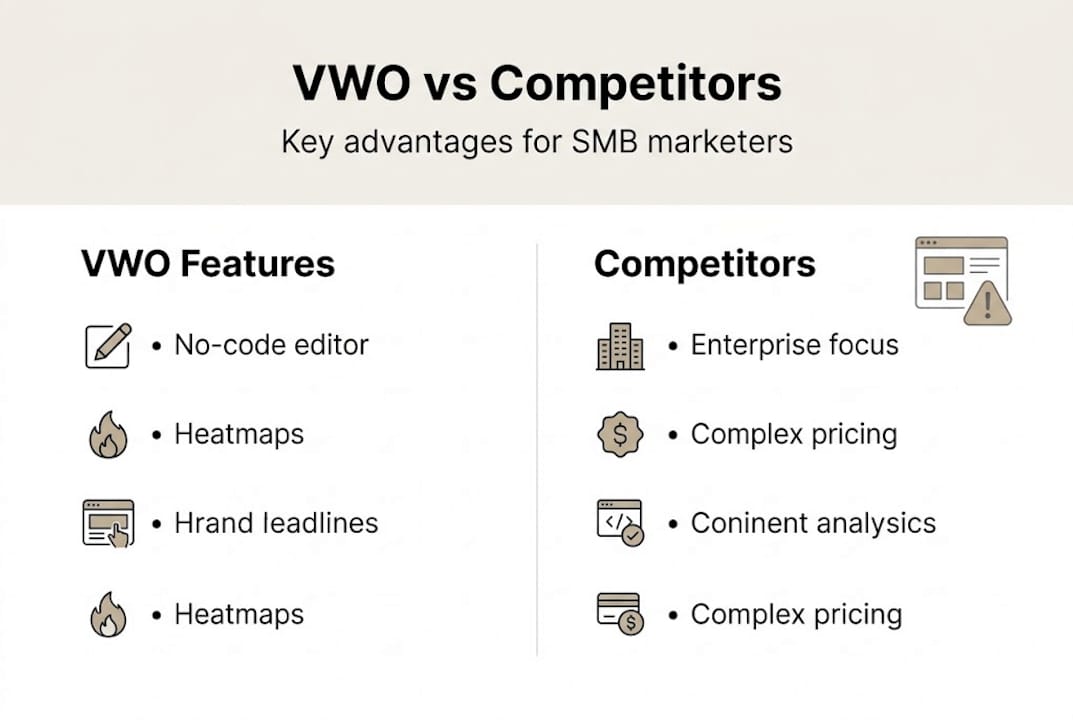
As noted by VWO vs Competitors, VWO is better for SMBs than Optimizely or AB Tasty, both of which are enterprise-focused, pricier, and more complex. It also serves as a strong post-Google Optimize alternative with a free tier and more features including heatmaps.
Here's a comparison of VWO against the major players:
| Tool | Best for | No-code editor | Heatmaps included | Free plan | Starting price |
|---|---|---|---|---|---|
| VWO | SMB to mid-market | Yes | Yes (Growth+) | Yes (50K MTU) | $0 |
| Optimizely | Enterprise | Partial | No | No | Custom |
| AB Tasty | Mid to enterprise | Yes | Partial | No | Custom |
| Convert | Privacy-focused SMBs | Yes | No | No | ~$199/mo |
What stands out from this comparison across the broader top A/B testing software landscape:
- VWO wins on breadth. No other tool at its price range bundles heatmaps, session recordings, surveys, AND A/B testing natively.
- Optimizely wins on enterprise depth. If you need complex feature flagging, multi-channel experimentation at massive scale, or deep developer APIs, Optimizely is the more powerful choice. But it's not built for a two-person marketing team. For a closer look at Optimizely no-code experimentation, it's worth comparing workflows directly.
- Convert wins on privacy. If GDPR compliance and data residency are primary concerns, Convert's infrastructure is designed around those requirements more deliberately than VWO's.
- AB Tasty wins on personalization at scale. Larger ecommerce teams that need sophisticated audience segmentation for personalization will find AB Tasty's engine more robust.
"Choosing the right testing tool is less about which has the longest feature list and more about which one your team will actually use consistently. Complexity kills experimentation cadence."
For SMB teams still evaluating their options, it's worth reading a beta testing website comparison to understand how testing environments differ across platforms. It's also worth noting that A/B testing in advertising follows similar principles, so teams running paid campaigns can apply VWO's testing framework directly to their ad creative workflows.
VWO's position in 2026 is strong specifically because it doesn't try to be Optimizely. It prioritizes accessibility, speed of experimentation, and integrated insights for the team that doesn't have a dedicated experimentation specialist on staff.
A marketer's perspective: The real value (and what most reviews miss)
Here's where most VWO reviews go wrong. They spend 90% of their word count comparing feature lists and pricing tables, then wrap up with "it's a solid tool for most SMBs." That's accurate but unhelpful.
The real differentiator for non-technical teams isn't VWO's visual editor or its SmartStats engine. It's the organizational behavior the tool encourages. VWO User Reviews consistently show a clear pattern: teams that praise VWO most are the ones that built a repeatable experiment process around it. Teams that complain about bugs, high costs, or confusing UI are typically the ones who bought the tool without a testing strategy in place.
An A/B testing for landing pages guide will tell you what to test. VWO gives you the mechanism to test it. But neither one works without a team that's aligned on running experiments weekly, not quarterly.
The honest truth about VWO's pricing concerns is this: the cost feels high until you start tracking what your tests actually produce. Most teams that complain about price are running one test every two months. At that cadence, any tool is expensive. Run two to four tests per month with clear hypotheses and measurable goals, and VWO's cost becomes one of the better marketing investments on your P&L.
Pro Tip: Train every stakeholder who has opinions about your website, including product managers, content writers, and even sales leads, on how to submit experiment hypotheses. The best test ideas often come from outside the marketing team, and VWO's interface is approachable enough for non-marketers to review results themselves.
Get started with smarter A/B testing today
Now that you understand VWO and how it supports SMB growth, here's how you can take the next step with your A/B testing strategy.

VWO is a powerful, well-rounded platform. But if you're a lean SMB team looking for the absolute fastest way to start testing without performance trade-offs, it's worth exploring every option available. Stellar is built specifically for marketers and growth hackers who need a lightweight, no-code A/B testing tool that won't slow their site down. With a script size of just 5.4KB, real-time analytics, dynamic keyword insertion, and a free plan for sites under 25,000 monthly tracked users, Stellar gets out of your way and lets you experiment quickly. Start your free account at Stellar and run your first test today.
Frequently asked questions
Is VWO suitable for small businesses with limited budgets?
Yes, VWO offers a free starter plan for up to 50,000 monthly tracked users, making it accessible to small businesses, though teams often need to upgrade as they scale their experimentation programs and need heatmaps or recordings.
What makes VWO better for marketers than Optimizely or AB Tasty?
VWO's no-code editor, all-in-one features, and tailored SMB pricing make it simpler and more budget-friendly, since Optimizely and AB Tasty are built primarily for enterprise teams with larger budgets and dedicated experimentation staff.
Can you run tests in VWO without a developer?
Yes, VWO's visual editor allows marketers to design and launch experiments without coding, since the platform supports A/B, multivariate, and split URL testing entirely through a point-and-click interface.
What are users' biggest complaints about VWO?
Some users mention high costs for advanced features and occasional bugs, though VWO earns strong ratings of 4.4 out of 5 from over 500 reviews, with consistent praise for the visual editor and statistical engine.
Recommended
Published: 4/26/2026