
WooCommerce A/B testing: a simple guide for higher conversions
TL;DR:
- Most WooCommerce stores struggle with low conversion rates because they guess visitor preferences instead of testing them systematically. A/B testing multiple elements like checkout flow, buttons, and images provides data-driven insights that can boost conversions by up to 30%, increasing revenue without extra ad spend. Using no-code tools like Nelio or CartFlows allows stores to start testing quickly, focusing on high-impact variables, and establishing ongoing testing practices for sustained growth.
You're running ads, investing in SEO, and watching your traffic numbers climb. But your WooCommerce store's conversion rate barely budges. Sound familiar? The problem often isn't your traffic quality or even your pricing. It's that you're guessing at what your visitors actually respond to, rather than testing it. A/B testing in WooCommerce means showing different versions of pages, products, or elements like checkout and order bumps to visitor segments, then measuring which version drives more purchases. This guide walks you through every step, from choosing tools to reading results, without requiring a developer.
Table of Contents
- What is WooCommerce A/B testing and why does it matter?
- Choosing the right WooCommerce A/B testing tools
- What to test for maximum impact (and what to skip)
- How to set up and run a winning A/B test in WooCommerce
- Troubleshooting, edge cases, and common mistakes
- Our take: what most WooCommerce A/B testing guides miss
- Supercharge your growth: next steps with effortless A/B testing
- Frequently asked questions
Key Takeaways
| Point | Details |
|---|---|
| Test what matters | Prioritize high-traffic, conversion-critical elements like checkout and add-to-cart buttons for the fastest growth. |
| Choose simple tools | Plugins like Nelio and CartFlows make WooCommerce A/B testing accessible without coding. |
| Follow a methodical process | Set a clear hypothesis, test one variable at a time, and run tests for at least two weeks for valid results. |
| Don’t ignore device splits | Analyze mobile and desktop performance separately to avoid misleading conclusions. |
| Track real metrics | Conversion rate and revenue per visitor tell the true story—don’t get distracted by vanity stats. |
What is WooCommerce A/B testing and why does it matter?
At its core, A/B testing means splitting your store's visitors into two groups and showing each group a different version of a page or element. Group A sees the original. Group B sees your variation. After enough traffic has passed through, the data tells you which version wins on the metrics that matter most: conversion rate, add-to-cart rate, revenue per visitor, and profit.
A/B testing in WooCommerce is especially powerful because you have so many testable touchpoints, including product description pages, checkout flows, button copy, product images, upsell placements, and order bumps. Each of these touchpoints is a potential leaking bucket. Testing plugs those leaks with evidence instead of opinion.
The results can be substantial. CartFlows reports 10 to 30% conversion boosts for WooCommerce stores that test consistently. On specific elements, lifts of 3 to 50% are possible depending on how far off the original was from what visitors actually want. Even a modest 10% improvement on a store doing $50,000 per month in revenue adds $5,000 to your top line. No ad spend required.
Here's a quick rundown of what you can test in WooCommerce:
- Product detail pages: titles, images, descriptions, social proof, scarcity messaging
- Checkout flow: one-page vs. multi-page, guest checkout vs. registered account
- Add-to-cart buttons: color, size, copy, placement
- Order bumps and upsells: timing, discount framing, copy
- Homepage hero sections: headline, imagery, call-to-action
- Category page layouts: grid vs. list, filter placement, featured products
The biggest benefit isn't just the conversion lift. It's the compounding effect of A/B testing strategies that build on each other over time. Each winning test becomes your new baseline. Over six months of consistent testing, stores often see total revenue gains that dwarf any single campaign.
Choosing the right WooCommerce A/B testing tools
With A/B testing basics clear, the next step is picking the right tools for your specific needs and budget. The WooCommerce ecosystem offers several solid options, and the right fit depends on your traffic volume, technical comfort level, and testing goals.
Here's a side-by-side look at the most popular options:
| Tool | Best for | No-code? | Free plan? | WooCommerce-specific goals |
|---|---|---|---|---|
| Nelio A/B Testing | Native WP, broad testing | Yes | Up to 500 views/mo | Yes (add-to-cart, purchase) |
| CartFlows | Funnel optimization | Yes | Limited | Yes (funnel-specific) |
| AB Split Test | Simple, focused tests | Yes | Yes | Partial |
| Split Hero | Beginners, page tests | Yes | No | Partial |
| VWO | Enterprise-level teams | Yes (visual editor) | No | Yes |
Nelio A/B Testing stands out as a native WordPress plugin with AI-generated test ideas, WooCommerce-specific goals like add-to-cart and purchase events, and built-in heatmaps. Its free tier handles up to 500 views per month, making it a practical starting point for smaller stores. CartFlows excels at funnel-specific testing, particularly for stores that rely on multi-step sales funnels with upsells and order bumps.
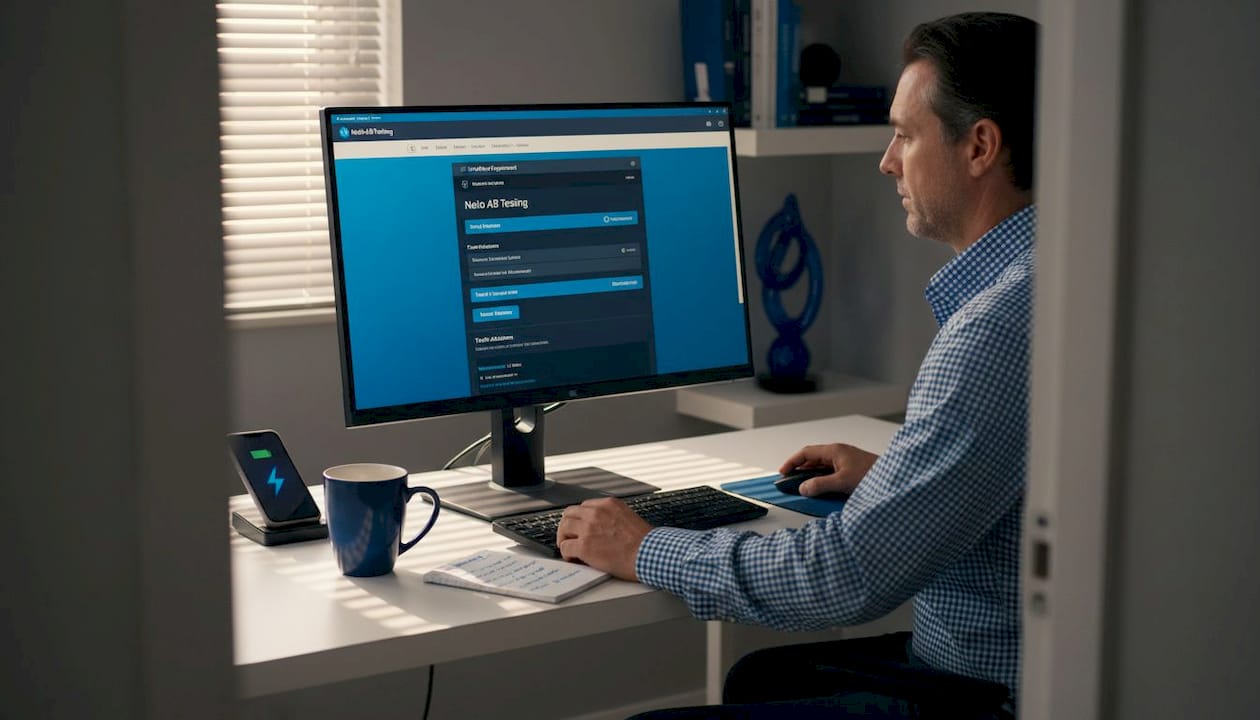
For SMBs in particular, the "native vs. SaaS" decision matters. Native plugins install directly into your WordPress dashboard and typically have lower monthly costs. SaaS tools run external scripts and often offer more robust analytics and cross-site testing. The tradeoff is script weight and potential performance drag with some SaaS options.
Key things to evaluate before committing to a tool:
- Dashboard usability: Can your team create and monitor tests without touching code?
- WooCommerce goal tracking: Does it natively track add-to-cart and purchase events, not just page views?
- Traffic requirements: Some tools need substantial monthly visits to reach significance quickly
- Support and documentation: When something breaks mid-test, fast support matters
Pro Tip: Start with a native WordPress plugin like Nelio or CartFlows for your first few tests. The zero-code setup means you can launch your first experiment within an hour rather than spending days on configuration. Once you've built testing habits and learned what your store responds to, you can explore more advanced mastering eCommerce A/B tests approaches.
What to test for maximum impact (and what to skip)
With the right tool in hand, focus is everything. Here's what to test for the most leverage, and what not to sweat over.
The highest-impact areas in a WooCommerce store are almost always found at high-traffic, high-intent pages where visitors are closest to making a purchase decision. According to testing best practices, the top elements to prioritize include product titles and images, checkout flow structure, add-to-cart button copy and color, and order bump placement and framing.
Here's what consistently moves the needle:
- Checkout flow: A one-page checkout often reduces friction compared to multi-step, but it's not universal. Test it on your store.
- Add-to-cart button: Copy changes like "Add to cart" vs. "Get yours today" and color changes have shown 10 to 40% lift in click-through rates for SMBs.
- Product images: Lifestyle photos vs. plain product shots, image count, and video vs. static.
- Order bumps: The framing of a discount ("Save $10" vs. "Get 15% off"), placement before or after the main CTA, and whether a bump is shown at all.
- Scarcity and social proof: "Only 3 left" vs. no urgency messaging, review count visibility, and star rating placement.
The single-variable rule is non-negotiable. If you change your button color AND your button copy at the same time, you'll never know which change drove the result. Always isolate one variable per test, even when you're tempted to bundle changes for speed.
What to skip, at least at the start: minor font tweaks, color palette changes to secondary elements, and low-traffic pages where reaching significance takes months. Detailed guidance on optimizing product pages and how to split test product pages effectively can help you prioritize further.
Pro Tip: Map your store's funnel in GA4 before choosing what to test. Find the step with the biggest drop-off rate. That's your first test target, not the page you personally think looks off.
How to set up and run a winning A/B test in WooCommerce
Let's break down the A/B testing process into manageable steps you can put to use immediately.
The setup process follows a clear sequence that keeps your results clean and actionable:
- Define your hypothesis and goal. A strong hypothesis looks like: "Changing the add-to-cart button from gray to high-contrast orange will increase add-to-cart clicks by 15% because it creates stronger visual hierarchy." Vague goals produce vague learning.
- Create your variant. Duplicate your target page and edit only the one element you're testing. Leave everything else identical, including images, copy, and layout, unless that element is what you're testing.
- Set your traffic split. A standard 50/50 split is the most efficient. Only consider uneven splits (like 90/10) if you're concerned about risking a significant portion of revenue on an unproven change.
- Launch and let it run. Resist the urge to check results daily and certainly resist stopping the test early. Peaking too soon introduces statistical noise.
- Reach your significance threshold. Aim for at least 100 conversions per variant, and target 95% statistical significance before declaring a winner. For most SMB stores, this means running tests for 2 to 4 weeks.
- Analyze, then apply. Review both your primary and guardrail metrics before implementing the winner.
Here's a quick reference for the metrics that matter most:
| Metric | What it measures | Why it matters |
|---|---|---|
| Conversion rate (CVR) | % of visitors who purchase | Primary success metric |
| Revenue per visitor (RPV) | Average revenue per unique visitor | Catches cases where CVR goes up but order value drops |
| Bounce rate | % who leave without interacting | Guardrail: signals whether a change creates confusion |
| Page load speed | Time to first interaction | Guardrail: slow pages kill conversions fast |
For A/B testing for revenue growth at scale, RPV is often the more honest metric. A test might increase CVR slightly while attracting lower-value buyers, resulting in no real revenue gain.
Pro Tip: Set a calendar reminder for your test end date before you launch. Without a firm end date, tests drift on indefinitely and tie up your testing resources on experiments that have already reached a clear winner.
Troubleshooting, edge cases, and common mistakes
Running tests isn't always smooth. Here's how to recognize and fix common snags like slow results or misleading metrics.
The most frequent problems come from common pitfalls that are easy to avoid once you know them: testing multiple variables simultaneously, stopping tests early when early results look promising, prioritizing vanity metrics like page views over revenue, and running tests during seasonally skewed periods like the holiday shopping season.
Key edge cases and how to handle them:
- Low traffic: If your store gets fewer than 5,000 monthly visitors, reaching significance quickly is tough. Focus on your single highest-traffic page and accept that tests will take longer.
- Pricing tests: Testing different price points carries customer perception risk. People can notice and feel misled. Pricing tests are safer when run over time rather than simultaneously showing different prices to different live visitors.
- Mobile vs. desktop differences: Always segment your results by device type. A checkout flow that performs better on desktop may confuse mobile users, and vice versa.
- Overlapping tests: Running two tests that affect the same funnel step at the same time contaminates both data sets. Keep your tests in separate funnel stages.
A one-second delay in page load time can drop your conversion rate by 7%. If your test variant adds JavaScript weight or changes load order, check your speed guardrail metrics closely, not just your conversion numbers.
The best fix for slow or confusing data is to use GA4 funnel reports before every test to confirm which step actually has the problem you think it has. Assumptions about where your funnel leaks are often wrong. Let data tell you where to look through your A/B testing conversion guide approach.
Our take: what most WooCommerce A/B testing guides miss
Most articles on WooCommerce A/B testing focus on the mechanics: install this plugin, duplicate this page, split the traffic. That's useful. But it misses the bigger picture that separates stores that grow systematically from those that spin their wheels testing button colors for months.
The first thing most guides underemphasize is starting with checkout flow, not surface elements. The checkout is where purchase intent is highest and anxiety is highest simultaneously. Reducing friction there, whether through a cleaner layout, fewer required fields, or clearer error messages, produces outsized returns compared to tweaking a headline on a product page that visitors scroll past in three seconds.
The second blind spot is over-indexing on conversion rate while ignoring revenue per visitor. A test that increases CVR by 5% but attracts buyers who spend less per order can actually hurt your business. RPV captures the full picture. Once you start tracking RPV alongside CVR, your prioritization decisions change dramatically. You stop chasing clicks and start chasing dollars.
The third and most important missed insight: one-off tests don't compound. Stores that treat A/B testing as an ongoing operational practice rather than a project to complete build a genuine competitive advantage. Each winning test informs the next hypothesis. Over 12 months, this creates a store that's been systematically optimized across every major touchpoint, something no competitor can replicate quickly. That's the real power behind eCommerce optimization as a long-term discipline.
The stores we see winning aren't running more sophisticated tests. They're running more consistent ones, with clear hypotheses, clean setups, and the discipline to let data finish talking before they act.
Supercharge your growth: next steps with effortless A/B testing
Ready to apply what you've learned? Here's a simple way to put A/B testing in motion for your WooCommerce store.
The biggest barrier most marketers hit isn't knowing what to test. It's the setup friction. Writing code, waiting on developers, and wrestling with complex dashboards kill testing momentum before the first experiment even launches.

That's exactly what Stellar's WooCommerce A/B testing tools are built to solve. With a no-code visual editor, a 5.4KB script that won't slow your store down, and real-time analytics that surface results without manual digging, you can go from idea to live test in minutes. The free plan covers stores with under 25,000 monthly tracked users, so you can validate the approach before committing to a paid tier. If you're ready to move past guesswork and start stacking evidence-based wins, Stellar is the fastest way to get there.
Frequently asked questions
How long should my WooCommerce A/B test run?
Run tests for 2 to 4 weeks, targeting at least 100 conversions per variant for trustworthy, statistically reliable results.
Can I test more than one thing at a time in WooCommerce?
You should test one variable at a time so you know exactly which change produced the improvement you're seeing.
What WooCommerce A/B testing plugins require no coding?
Nelio, CartFlows, AB Split Test, and Split Hero all offer no-code dashboards for creating and managing A/B tests without touching a single line of code.
Which metrics matter most when evaluating A/B test results?
Focus on conversion rate, revenue per visitor, bounce rate, and page load speed to get a complete, honest picture of your test's actual business impact.
Are A/B test results different on mobile versus desktop?
Yes, always segment results by device since mobile and desktop visitors often behave differently and may respond to the same change in opposite ways.
Recommended
- Ecommerce optimization guide: boost conversions with A/B testing
- Boost Shopify Conversions with A/B Testing: A Guide for Store Owners
- Ecommerce testing: master A/B tests for higher conversions
- The Ultimate Guide to eCommerce Optimization
- How to Increase Online Orders for a Small E-Commerce Store (2026) - SEOLEVELUP, LLC
- 6 Top Advertising Tips to Boost ROI for E-Commerce Brands - Palmador Blog
Published: 5/2/2026