
How to Run WordPress Split Tests for Higher Conversions
TL;DR:
- WordPress split testing enables data-driven website optimization without coding.
- It helps small businesses improve conversions and ROI through controlled experiments.
- Focus on high-traffic pages and run short, isolated tests for effective results.
You make a change to your homepage headline. Traffic stays flat. You tweak the button color. Nothing moves. Sound familiar? Most marketers at small and medium-sized businesses waste weeks on website changes that feel right but deliver zero measurable lift. WordPress split testing fixes that. Instead of acting on gut instinct, you run controlled experiments that show exactly which version drives more conversions, signups, or revenue. The best part: you no longer need a developer to do it. With today's no-code plugins, any marketer can launch a proper A/B test in under an hour and start making decisions backed by real data.
Table of Contents
- What is WordPress split testing and why does it matter?
- Choosing the best no-code WordPress split testing plugins
- Step-by-step: How to set up your first split test
- Avoiding common mistakes and maximizing results
- Our perspective: Split testing for lean SMB marketers
- Get started with smarter split testing today
- Frequently asked questions
Key Takeaways
| Point | Details |
|---|---|
| Split testing demystified | WordPress split tests let you see what truly works on your site instead of guessing. |
| No-code tools make it easy | Today's leading plugins allow marketers to create and track experiments without technical skills. |
| Focus on high-impact tests | Start with changes to CTAs and high-traffic pages for the fastest conversion lifts. |
| Avoid common pitfalls | Test one change at a time, run it long enough, and always measure what really matters to your business. |
What is WordPress split testing and why does it matter?
Split testing, also called A/B testing, is the practice of showing two or more versions of a webpage to different visitors at the same time and measuring which version performs better against a defined goal. In a WordPress context, this means serving version A (your original page) to half your visitors and version B (your modified page) to the other half, then letting the data tell you which one wins.
For small business marketers, this matters more than you might think. Every page on your site is either converting visitors or losing them. Without testing, you're making design and copy decisions based on opinions, trends, or what your competitor is doing. That's a risky way to spend your marketing budget. Split testing helps marketers pinpoint actionable improvements instead of relying on opinions or hunches, which means every change you ship has a data-backed reason behind it.
Here's why this directly impacts your bottom line:
- Higher conversion rates without increasing ad spend or traffic
- Objective results that remove internal debates about design choices
- Reduced risk because you test before you fully commit to a change
- Clearer ROI on every marketing experiment you run
- Faster learning about what your specific audience actually responds to
Learning A/B testing best practices early saves you from costly assumptions later. You can also review the AB testing impact for SMBs to see how even small conversion lifts compound over time.
Here are common split test scenarios and what you might be trying to achieve with each:
| Element being tested | Example variation | Primary goal |
|---|---|---|
| Headline copy | "Start free" vs. "Try it today" | Click-through rate |
| CTA button color | Green vs. orange | Conversion rate |
| Pricing page layout | Monthly toggle vs. annual default | Plan upgrades |
| Lead gen form | Short form vs. long form | Form completions |
| Hero image | Product screenshot vs. lifestyle photo | Engagement and scroll depth |
Before you act on any test result, make sure it's statistically significant. A test with 50 visitors per variation tells you almost nothing. Wait until you have enough data to trust the outcome, or you'll end up optimizing toward noise instead of truth.
With the foundation for 'why' split testing matters set, let's look at what you'll need to get started without any tech headaches.
Choosing the best no-code WordPress split testing plugins
The biggest barrier marketers used to face was technical setup. Running a proper split test meant editing code, configuring redirects, or waiting on a developer. No-code plugins have eliminated that barrier entirely. You can now install a plugin, point and click your way to a new variation, and launch a live experiment without writing a single line of code.
Before picking a tool, know what features actually matter for SMB marketers:
- Visual editor so you can modify pages without touching HTML
- A/B and multivariate test support for flexibility as your testing program matures
- Goal tracking tied to real business outcomes like purchases or signups
- Privacy compliance features to stay aligned with GDPR and similar regulations
- Lightweight script that won't slow your site down and hurt SEO
Here's a comparison of popular no-code WordPress plugins for SMB marketers, including Nelio AB Testing, AB Split Test, Sigmize, and Kadence Insights:
| Plugin | Visual editor | Goal tracking | Integrations | Best for |
|---|---|---|---|---|
| Nelio AB Testing | Yes | Advanced | WooCommerce, Elementor | Full-featured SMB testing |
| AB Split Test | Yes | Basic | Gutenberg, Divi | Simple headline and CTA tests |
| Sigmize | Yes | Intermediate | Most page builders | Privacy-focused teams |
| Kadence Insights | Yes | Intermediate | Kadence theme ecosystem | Kadence theme users |
For a deeper breakdown of your options, the guide on WordPress A/B testing tools covers each plugin in detail. If you want to go deeper on no-code solutions specifically built for conversion optimization, that resource is worth bookmarking. You can also find quick split testing tips to pair with whichever tool you choose.
Pro Tip: Don't test on a low-traffic blog post. Start with your free tier on your highest-traffic or highest-revenue pages. That's where even a 5% conversion lift actually moves the needle on your monthly numbers.
Now that you understand the benefits, let's pick the right set of tools to move from theory to practice.
Step-by-step: How to set up your first split test
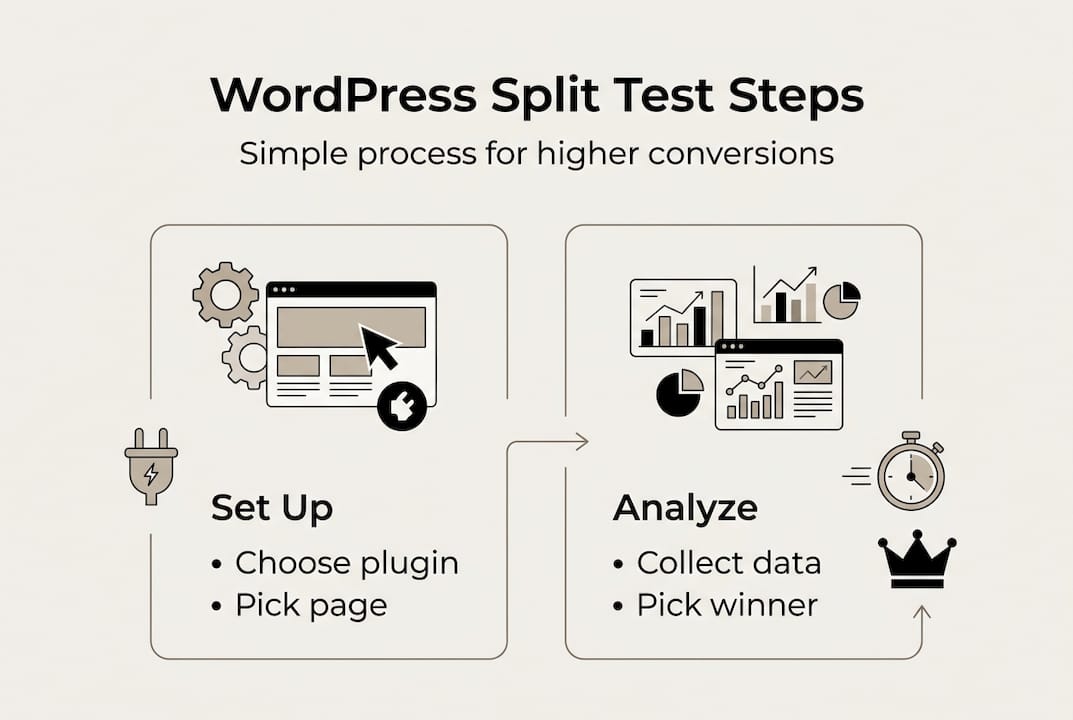
With the right tool installed, here's exactly how you can launch your first split test in minutes:
- Choose the page to test. Pick a page that already gets consistent traffic. Your homepage, pricing page, or a key landing page are ideal starting points.
- Form a clear hypothesis. Don't just change things randomly. Write it out: "If I change the CTA from 'Learn more' to 'Start free today,' I expect more clicks because it's more action-oriented."
- Set a primary goal. Define what a win looks like before you start. Button clicks, form submissions, purchases, or time on page are all valid goals depending on your objective.
- Create your variation. Use your plugin's visual editor to make the change. Swap the headline, adjust the button text, or rearrange the layout without touching code.
- Set the traffic split. A 50/50 split between the original and variation is the standard starting point. Only change this ratio if you have a specific reason.
- Launch the test and leave it alone. Resist the urge to check results daily and make snap decisions. You need time and volume.
You should test one variable at a time and run tests for 1 to 4 weeks or until statistical significance is reached. Changing multiple elements at once makes it impossible to know which change drove the result.
Many plugins integrate with Elementor and Gutenberg for a smoother workflow, meaning you can build your variation inside the same editor you already use.
Pro Tip: Before forming your hypothesis, run a heatmap tool like Hotjar or Microsoft Clarity on your target page for a week. You'll spot exactly where visitors drop off or ignore key elements, giving you much stronger test ideas than guessing.
For more guidance tailored to smaller teams, the AB testing for small businesses guide walks through real scenarios. And if you want to use split testing to validate marketing ideas before committing budget, that's a smart next step.
Avoiding common mistakes and maximizing results
Launching a test is just the first step. Here are the strategies to ensure real, lasting improvements:
The most common split testing mistakes are surprisingly easy to make:
- Testing too many changes at once. If you change the headline, image, and button in one variation, you'll never know which element drove the result.
- Stopping tests too early. A test that looks like a winner after three days might reverse completely by day ten. Patience is a competitive advantage.
- Testing on low-traffic pages. You need enough visitors to reach statistical significance. A page with 200 monthly visitors will take months to produce reliable data.
- Optimizing for vanity metrics. Click-through rate feels good to report but doesn't pay the bills. Focus on what actually drives revenue.
- Ignoring seasonal effects. A test running over a holiday weekend will produce skewed data that doesn't reflect normal visitor behavior.
"Most tests fail. That's not a flaw in the process, it's the point. Every losing test eliminates a bad assumption and gets you closer to what actually works. The wins, when they come, more than make up for it."
You should prioritize high-traffic pages for testing and focus on revenue per visitor over vanity metrics. A 2% lift in conversion rate on your pricing page is worth far more than a 20% lift in clicks on a blog post sidebar.

When choosing what to measure, ask yourself: if this metric improves, does revenue go up? If the answer is yes, it's a good metric. If the answer is "maybe" or "it depends," dig deeper.
For a broader view on how to boost conversion rates through smarter test design, that resource covers advanced strategies worth reviewing once you've run your first few experiments.
Pro Tip: Set up a secondary metric alongside your primary goal. If you're testing for signups, also track revenue per visitor. Sometimes a variation wins on signups but attracts lower-quality leads, and you'd never catch that without the second metric.
Our perspective: Split testing for lean SMB marketers
Here's a take you won't hear often: stop trying to win tests. Seriously. The marketers who get the most out of split testing aren't the ones chasing a single big win. They're the ones running many small, low-stress experiments consistently and letting the data humble their assumptions.
Most teams get excited about split testing, run two or three experiments, declare a winner, and then stop. That's not a testing culture. That's a one-time project. The real value compounds when you kill underperformers fast, learn from every result, and keep the cycle going.
Focus your energy on simple, fast tests on high-impact elements. Your pricing page CTA, your homepage headline, your primary lead gen form. These are the levers that move revenue. Don't spend three weeks testing the color of a footer link.
The split testing essentials that matter most aren't technical. They're behavioral. Consistent testing beats heroic one-off experiments every time. Build the habit, trust the data, and let your assumptions get proven wrong regularly. That's how lean SMB teams outperform bigger competitors with larger budgets.
Get started with smarter split testing today
Ready to put this guide into action? The fastest way to go from theory to results is to install a no-code plugin, pick your highest-traffic page, and launch one simple test this week. Don't wait for the perfect hypothesis or the perfect tool.

Stellar is built specifically for marketers who want to run fast, effective experiments without slowing down their site or waiting on developers. With a no-code split testing setup, a visual editor, and real-time analytics, you can go from idea to live test in minutes. Explore the full breakdown of WordPress testing tools to find the right fit for your stack. Action beats analysis every time. Start small, learn fast, and let the data drive your next move.
Frequently asked questions
What is the difference between A/B testing and split URL testing in WordPress?
A/B testing compares variations of a single page element on the same URL, while split URL testing sends visitors to entirely different page URLs to compare two separate designs. Nelio AB Testing supports both test types depending on your goals.
How long should I run a WordPress split test for accurate results?
Run your test for at least 1 week, or until you reach 95% statistical significance based on your traffic and conversion volume. Tests should run 1 to 4 weeks to account for day-of-week traffic variations.
Can I use WordPress split testing plugins without coding skills?
Yes. No-code plugins like Nelio and AB Split Test let you create, run, and measure experiments entirely through visual editors with no technical setup required.
What should I test first to get quick conversion wins?
Start with your highest-traffic pages and test CTAs, headlines, or pricing page layouts for the biggest impact. High-traffic pages like home and pricing pages deliver reliable data faster and produce more meaningful results.
Recommended
Published: 4/5/2026