
Website and App Strategy: Grow Engagement and Conversions
TL;DR:
- Websites provide static information, while apps enable complex interactions and task completion.
- Choosing the right platform based on user needs and behavior improves engagement and conversion rates.
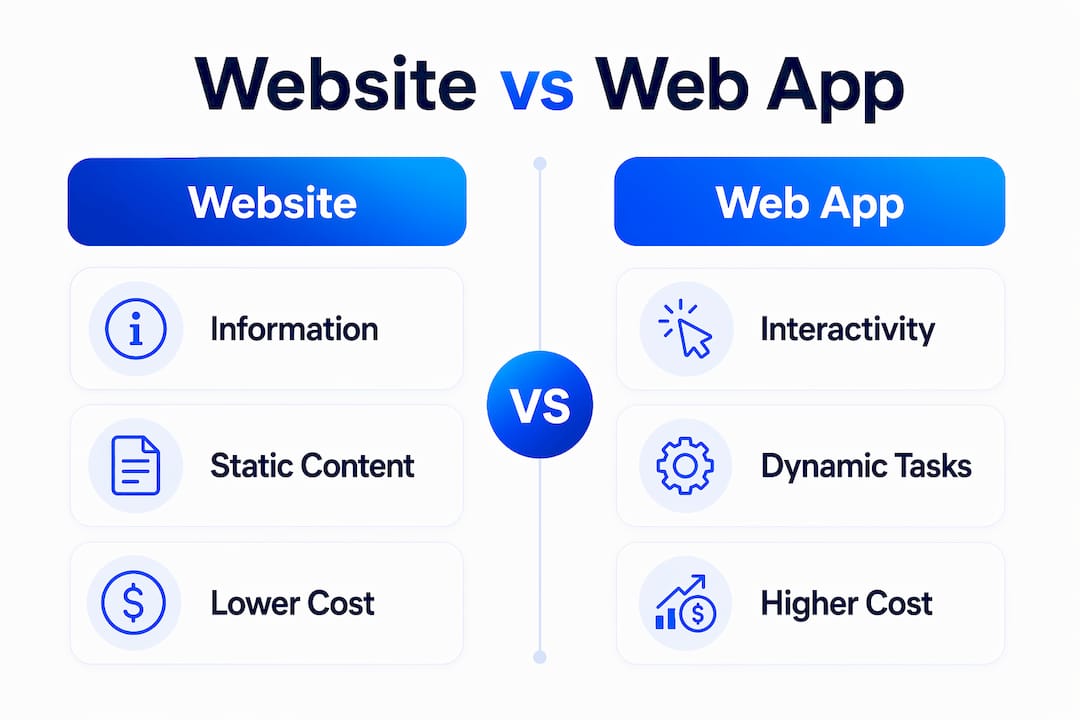
A website is a static source of information, while an app, whether web-based or mobile, is a dynamic tool built for interaction and task completion. Businesses that treat these platforms as interchangeable consistently misallocate budgets and miss conversion opportunities. The distinction matters because each platform serves a different user intent, requires a different technical investment, and produces different business outcomes. Understanding how your website and app work together, or independently, is the foundation of any serious digital growth strategy.
What are the key differences between a website and app?
A website delivers information with minimal interaction, while a web application enables users to complete complex tasks like transaction processing, data manipulation, and live updates. A mobile app goes further by running natively on a device, giving it access to hardware features and offline functionality that browsers cannot match. These are not variations of the same product. They are distinct tools with different purposes, costs, and technical requirements.
Development cost separates these platforms immediately. A simple mobile app MVP costs between $5,000 and $15,000, while a mobile website typically comes in under $12,000. That cost gap widens significantly as features grow. A full-featured web app with backend logic, user accounts, and real-time data management sits in an entirely different budget category.
Web apps run cross-platform via browsers, while mobile apps require separate iOS and Android builds. That means double the development workload, double the QA cycles, and longer timelines before launch. For businesses with limited resources, this distinction alone often determines which platform to build first.
Maintenance also differs in ways most entrepreneurs underestimate. Web apps update centrally with no user action required, while mobile apps depend on users to manually update through app stores. That friction creates version fragmentation, where different users run different versions of your product at the same time.
| Feature | Website | Web app | Mobile app |
|---|---|---|---|
| Primary purpose | Information delivery | Task completion | High-frequency interaction |
| Platform reach | All browsers | All browsers | iOS and/or Android |
| Development cost | Lowest | Medium | Highest |
| Offline access | No | Limited | Yes |
| Native device features | No | Limited | Full access |
| Update process | Instant, centralized | Instant, centralized | Manual via app store |
| Infrastructure complexity | Low | High | High |
Pro Tip: Before committing to a mobile app build, launch a web app or responsive website first. Validate user behavior and conversion patterns, then use that data to justify the native app investment.
How do websites, web apps, and mobile apps affect conversions?
Platform choice directly shapes how users behave and whether they convert. A website built for information delivery works well for top-of-funnel traffic: blog readers, search visitors, and people comparing options. Conversion on a website typically means a form fill, a phone call, or a click to a purchase page. The interaction is shallow by design.
Web apps shift the dynamic entirely. Web apps support high interactivity and complex functionality beyond static content delivery. When users can log in, manage data, and complete transactions inside the browser, session depth increases and repeat visits become the norm. That behavioral pattern produces higher lifetime value than a static site ever can.
Mobile apps produce the deepest engagement of all three. Mobile apps provide offline access and deeper integration with native device features like GPS and cameras that websites and web apps struggle to replicate. Push notifications, location-based triggers, and biometric login all drive re-engagement in ways that no browser-based experience can match.
Personalization amplifies conversion on every platform. User accounts, behavioral data, and dynamic content all increase the relevance of what a user sees. Gostellar's Dynamic Keyword Insertion feature, for example, lets businesses personalize landing pages based on the search terms that brought a visitor in, which directly improves conversion rates without requiring a developer.
Best practices for engagement and conversions by platform:
- Website: Prioritize page speed, clear calls to action, and SEO-driven content. Use A/B testing for design decisions on headlines, layouts, and CTAs.
- Web app: Build onboarding flows that get users to their first "aha moment" quickly. Reduce friction at every step of account creation and core task completion.
- Mobile app: Use push notifications strategically, not constantly. Test notification copy and timing the same way you test landing page headlines.
- All platforms: Track goal completions, not just pageviews. Gostellar's Advanced Goal Tracking connects user actions to business outcomes in real time.
Pro Tip: Mobile conversion optimization requires testing on actual devices, not just browser emulators. Tap target sizes, scroll behavior, and load times all perform differently on real hardware.
When should businesses choose a website, web app, or mobile app?
The right platform depends on three factors: what your users need to do, how often they need to do it, and what your budget can support right now. Getting this wrong is expensive. Lack of clarity about the interactive nature of web apps versus websites often leads to scope creep and misallocated budgets in development projects.
A structured decision process helps. Work through these questions before committing to any build:
-
Define the primary user action. Does your user need to read information, complete a task, or interact with the product repeatedly every day? Information delivery points to a website. Task completion points to a web app. Daily high-frequency use points to a mobile app.
-
Assess your audience's device behavior. Platform choice depends on user habits and accessibility needs. If your audience skews mobile-first and uses your product on the go, a native app earns its development cost. If they access your product from desktops at work, a web app or responsive website serves them better with far less investment.
-
Map your budget to a phased plan. Building all three platforms at once is rarely the right move for a small or mid-sized business. Start with the platform that serves the largest segment of your audience, then expand. A responsive website or web app almost always comes first.
-
Calculate the real cost of a mobile app. Factor in iOS and Android builds, app store fees, ongoing maintenance, and the update fragmentation problem. Websites, mobile apps, and web apps require distinct technical stacks, expertise, and budget lines. They are not interchangeable.
-
Consider hybrid approaches. Progressive Web Apps (PWAs) sit between a web app and a mobile app. They run in the browser but support offline access, push notifications, and home screen installation. For businesses not ready to invest in a full native app, a PWA offers a credible middle path.
-
Evaluate your competitive context. If your direct competitors have native apps and your audience expects that experience, the absence of one becomes a conversion liability. Knowing where your audience's expectations are set matters as much as knowing your own budget.
How to optimize websites and apps for engagement and conversions
Optimization is not a one-time project. It is a continuous process of testing, measuring, and adjusting based on real user behavior. The businesses that grow fastest treat their website and mobile application as products, not publications.
Testing is the core discipline. User experience optimization drives higher engagement rates across both web and mobile platforms. A/B testing specific elements, such as button copy, form length, page layout, and onboarding steps, produces measurable improvements without requiring a full redesign. Gostellar's no-code visual editor lets marketers run these tests without writing a single line of code, which removes the engineering bottleneck that kills most testing programs.

Content and design must align across platforms. A user who reads a blog post on your website and then downloads your mobile app expects a consistent experience. Inconsistent messaging, different visual styles, or conflicting calls to action create confusion and erode trust. A shared design system and a unified content strategy prevent this.
Analytics and user feedback close the loop. Tracking which features users engage with, where they drop off, and what they search for inside your product tells you exactly where to focus next. Gostellar's Real-Time Analytics surfaces these patterns as they happen, so you can act on them before a problem compounds.
Key optimization tactics across platforms:
- Run A/B tests on mobile UX elements including navigation, onboarding copy, and CTA placement.
- Use heatmaps and session recordings to identify friction points that analytics alone miss.
- Align content optimization strategies across your website and app so messaging stays consistent.
- Measure user engagement for growth by tracking depth of interaction, not just surface metrics like pageviews or installs.
- Test landing page personalization using dynamic keyword insertion to match ad copy with page content.
| Optimization area | Website tactic | App tactic |
|---|---|---|
| Conversion rate | A/B test CTA copy and placement | Test onboarding flow length and steps |
| Engagement depth | Improve internal linking and content relevance | Add in-app prompts at key drop-off points |
| Personalization | Dynamic keyword insertion on landing pages | Behavioral push notifications |
| Performance | Minimize script weight and image sizes | Reduce app launch time and memory use |
| Feedback loop | Exit-intent surveys and scroll tracking | In-app ratings and session replay |
Key Takeaways
Businesses that align platform choice to user behavior and test continuously across their website and app produce the highest engagement and conversion rates.
| Point | Details |
|---|---|
| Websites vs. apps are not the same | Each platform serves a distinct user intent and requires a separate budget, technical stack, and strategy. |
| Mobile apps cost more and take longer | A simple mobile app MVP costs $5,000–$15,000; plan for double development if you need both iOS and Android. |
| Web apps update without user friction | Central updates remove version fragmentation, making web apps easier to maintain than native mobile apps. |
| Platform choice follows user behavior | Choose mobile apps for frequent on-the-go use; choose web apps or responsive websites for broad accessibility. |
| Testing drives conversion gains | A/B testing on CTAs, onboarding flows, and landing page copy produces measurable improvements on every platform. |
Why I think most businesses get this decision backwards
Most entrepreneurs I talk to start with the platform they find most impressive, not the one their users actually need. They see a competitor's polished mobile app and immediately want one, without asking whether their audience opens apps daily or just needs a fast, reliable website.
The uncomfortable truth is that a well-optimized responsive website with a strong web app layer will outperform a poorly maintained native app every time. The app store is littered with products that cost $50,000 to build and get deleted after one use. The businesses that win are the ones that validate behavior first, then invest in the platform that matches it.
I have also seen the opposite mistake: companies that refuse to invest in a mobile app long after their data shows that the majority of their users are on mobile. They keep patching a responsive website when their audience has already moved on. Both errors come from the same root cause: making platform decisions based on assumptions instead of evidence.
The fix is straightforward. Start with the simplest platform that serves your core user action. Instrument it with proper analytics and run tests from day one. Let the data tell you when the next platform investment is justified. That approach is slower to start but far less expensive than rebuilding after a wrong bet.
— Juan
How Gostellar helps businesses grow across every platform
Running a website and mobile application without a testing program is like driving without a speedometer. You are moving, but you have no idea how fast or in what direction.

Gostellar gives marketers and growth teams the tools to test, personalize, and measure across both web and mobile platforms without needing a developer. The no-code visual editor lets you run A/B tests on landing pages in minutes. Dynamic Keyword Insertion matches your page content to the exact search terms your visitors used. Real-Time Analytics shows you which changes are working before you commit to them. Gostellar's free plan covers businesses with under 25,000 monthly tracked users, so you can start testing today with no upfront cost.
FAQ
What is the difference between a website and a web app?
A website delivers static information with one-way communication, while a web app provides dynamic, interactive functionality including user login, data management, and task completion.
Should I build a mobile app or a website first?
Build a responsive website or web app first to validate user behavior and conversion patterns, then invest in a native mobile app once the data justifies the cost.
How much does a mobile app cost compared to a website?
A simple mobile app MVP costs between $5,000 and $15,000, while a mobile website typically costs less. Full-featured apps with separate iOS and Android builds cost significantly more.
What is a Progressive Web App?
A Progressive Web App (PWA) is a browser-based application that supports offline access, push notifications, and home screen installation, offering a middle path between a web app and a native mobile app.
How do I improve conversions on both my website and app?
Run A/B tests on CTAs, onboarding flows, and landing page copy. Use goal tracking and analytics to identify where users drop off and test specific fixes against a control version.
Recommended
Published: 6/30/2026